
Watch the full YouTube video here.
Spoiler alert: It didn’t go well, but it also didn’t go as horribly as you might expect, so as long as you keep your expectations in check.
Confession time: I haven’t used Windows or Mac in nearly a decade. When it comes to computer operating systems from Microsoft and Apple, I have a staunch aversion to them. I used MacOS for most of my adolescence because it was the primary OS my school used. I eventually got sick of it and would switch to Windows in college with the Surface Pro 4. Unfortunately, as incredible as Microsoft’s hardware was, the software experience on that 2-in-1 was abysmal; it was buggy, finicky, and just bogged down by issues that caused me constant migraines. It was that experience that led me to forgo the traditional duopoly of operating systems altogether and transition to iPads for all my computing needs.
It wouldn’t be the worst thing, surprisingly, and I did enjoy the simplicity and efficiency of Apple’s overpriced slab of beautiful aluminum. After a few years, though, I realized I needed something that could give me a proper desktop browsing experience and some better app compatibility. I also wanted something that could do a little bit of gaming, even if it was just simple indie titles. Now, the iPad Pro I had was definitely powerful enough to handle that, but the App Store, especially at the time, was lacking on that front. It would also be nice if this machine didn’t cost me a month’s mortgage. After spending weeks perusing the catalogue of machines across Tim Cook’s website and the swathes over on the Windows side of things, I realized I simply wasn’t excited at the prospect of going back to using MacOS or Windows. Which is when I came across a whole new type of machine: The Chromebook.
By the way, shoutout to ChromeUnboxed whose videos helped me learn all about Chromebooks, their capabilities, and which models to consider buying. For the longest time, and maybe still, Chromebooks were widely known as cheaply made laptops that couldn’t do more than browse the web. Although that’s still somewhat true, Google’s new initiative over the past couple of years has opened the door for more capable devices within the Chromebook family: The Chromebook Plus. Launched in 2023, the Chromebook Plus initiative looks to create a line of Chromebooks that, though still run ChromeOS, come fitted with better screens, more RAM, and beefier specs to be able to handle more demanding software and intense workflows.
Two years in, and we’ve got a good number of devices from companies like Lenovo, Acer, Asus, and HP that are all Chromebook Plus certified, coming equipped with the latest chips from Intel, upwards of 16 gigabytes of RAM, and decent high-resolution IPS displays; all fitted within fairly sturdily built chassis while keeping costs relatively low. After watching some ChromeUnboxed reviews, I settled on the Lenovo IdeaPad Slim 3i Chromebook Plus, which I’ve had for a little over a year now and bought for a little over $400 Canadian on sale. Thus far, I’ve been incredibly happy with it. From its build quality and typing experience to its everyday performance with day-to-day tasks, there’s very little I have to complain about this device. ChromeOS has also been a very easy, efficient, and – minor quirks aside – intuitive experience. But what about gaming? Well, this is where things get a little tricky.
Running Out Of Steam
Fitted with an Intel Core i3-N305 processor and eight gigs of RAM, the Slim 3i isn’t the beefiest of laptops–even amongst other Chromebook Plus models that have proper Core i5 and i7 processors. Nevertheless, my hope was that I would be able to play some classic and indie titles on Steam, maybe getting lucky enough to be able to do some rounds on Guilty Gear Strive. Unfortunately, simply getting Steam to run on this thing was a struggle and a half. Downloading and installing Steam through the Chrome shop wasn’t an issue, but as soon as I clicked on that iconic dark blue logo, my Chromebook started to act like a fussy toddler.
As far as I know, Steam runs via a virtual machine on Chromebooks. As such, more power is required for it to run efficiently, which the Slim 3i simply doesn’t have. Steam is sluggish, buggy, and flat-out annoying to use on this device. It was so annoying to use that I actually forgot to get footage of the experience for my video, just because I was too preoccupied to get the damned thing to work. Nevertheless, I was determined to get a game downloaded. I went ahead and started the download for Guilty Gear Strive, praying that I’d be able to get it to run, even if it was at the lowest settings.
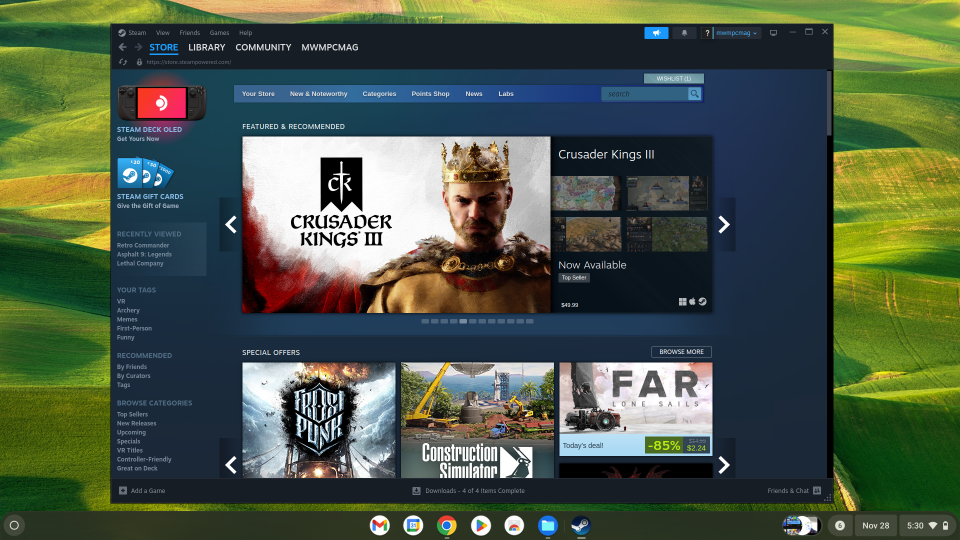
After some patience, the game was downloaded. As soon as I hit the “play now” button, my poor Chromebook’s fans sounded like it was about to take off on a cross-Atlantic flight. Once in-game, I quickly turned the graphics settings to their absolute lowest and made my way over to the character select screen, where I saw the animations of the cast of vibrant characters move at slideshow speeds. It was only a few seconds after that when the game crashed. I reloaded, forging ahead and stubbornly confident that I’d be able to make it through one round of combat. And…crash. Unfortunately, playing Strive simply isn’t going to be a reality for me and my Chromebook. And frankly, I was so annoyed with the performance of the Steam app that I didn’t even try downloading some far less demanding indie title. No, Steam and Chromebooks – or, at least, this Chromebook – weren’t a match made in gaming heaven.
Finding Happiness in the Cloud (and the Google Play Store)
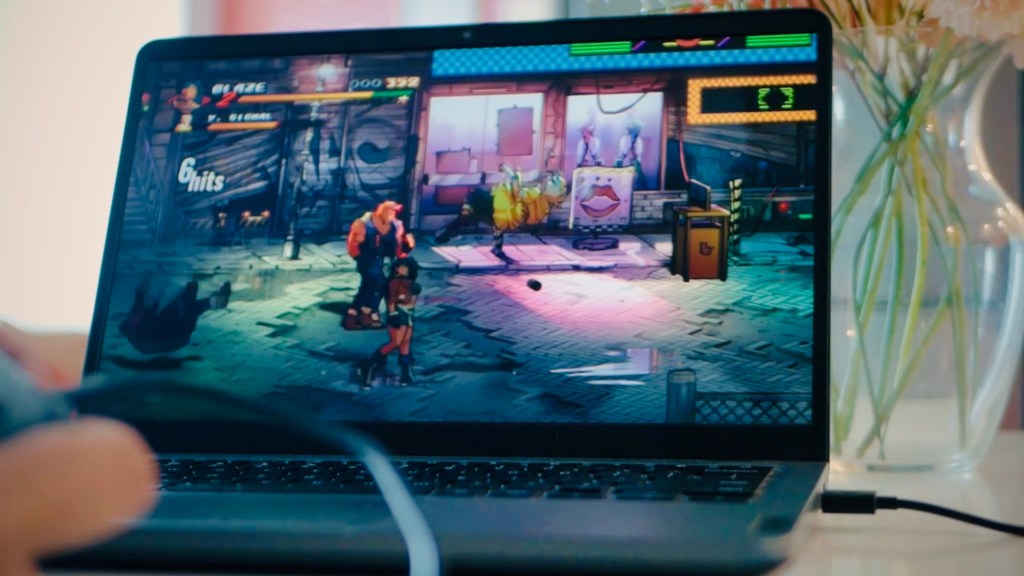
So with Steam out of the picture, I then decided to try out some games on the Play Store. I wanted to play it safe so I downloaded a game that I was confident this machine could run: Streets of Rage 4. This proved no issue for Lenovo’s Chromebook. Even though the fans did kick on, the game ran on high settings and with a consistently high frame rate. The game looks beautiful, too, with a vibrant art style whose colours really pop on this 1080p IPS display. Plugging in my Switch Pro controller also proved no issue as the machine picked it up right away and it wasn’t long before I took on the streets and began bashing guys’ heads in. This experience made me confident that playing indie titles from the Play Store, or even retro games via emulators should work well on this device. If you pick one of the higher-end models that have a beefier Intel chip you may even be able to do some 3D gaming like Fortnite or Genshin Impact, if that’s your thing.
Lastly, there was one area that I was very excited to try with this Chromebook: Cloud Gaming. Now, if you’ve watched or read my coverage of the Logitech G Cloud, you’ll know how much of a fan I am of cloud gaming. I’ve spent most of 2024 in the cloud, playing games at their highest settings via services like GeForce NOW and Boosteroid. If you’re curious about those services and want to know more, leave a comment below and I’ll look to do a deep dive in the future. I knew using those services wouldn’t prove too much of an issue for a Chromebook, seeing as I wouldn’t be reliant on its internal specs, but I wanted to see how good the experience was. Happy to report it’s great–although just shy of perfect.
Services like GeForce NOW, Xbox Cloud Gaming (again, Microsoft, just call the damn thing “Xcloud,” please), and Boosteroid all work pretty flawlessly. Controllers get recognized with no issue, and cranking up the bitrates on GFN and Boosteroid didn’t pose too much of an issue on the decoding side. I was able to play through hours upon hours of Avowed via GFN with no trouble and made some headway in Cocoon on Xbox’s Cloud. Unfortunately, there was one service that I wasn’t able to get to run as flawlessly: MaximumSettings.com.
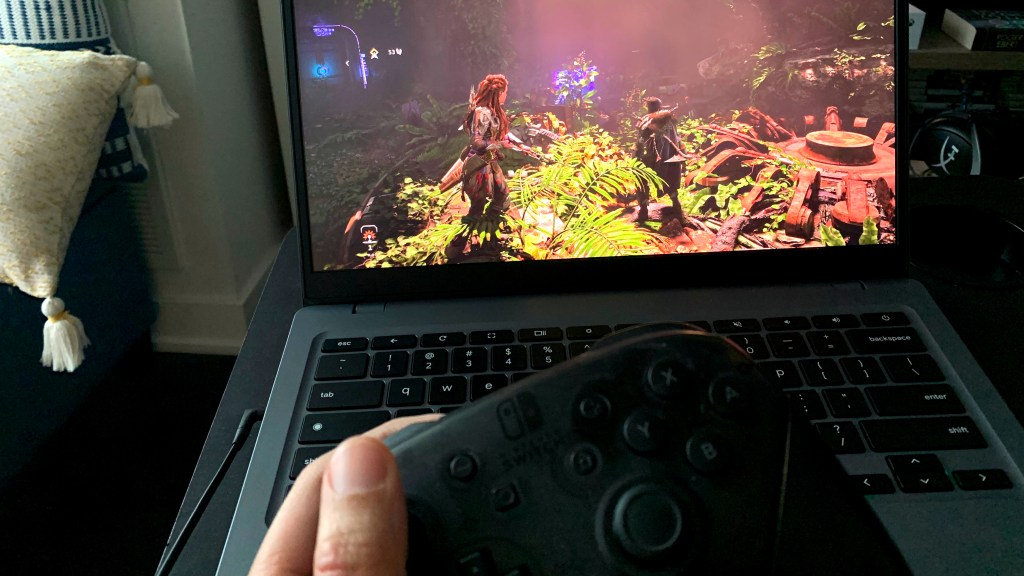
If you’re unfamiliar, MaximumSettings is a Toronto-based cloud PC service where you can rent an entire Linux PC on the cloud. Though I could use the service with no problem and was even able to play through quite a bit of Horizon Forbidden West, I could do so only at very low bitrates. On a relatively small screen, that’s not too much of an issue as the game still looks gorgeous, but as someone who has been spoiled with GFN and 50+ mbps bitrates, it’s definitely noticeable for me. Now, unsure if this is on MaximumSettings’ side of things or a decoding issue with the Chromebook, but the fact that I can run the service flawlessly on my G Cloud leads me to believe it’s a hardware bottleneck.
Closing Thoughts
So, can you game on a Chromebook? The answer, like most things in life, is a little more nuanced. If you’re looking to mainly play off the cloud, smaller indie titles on the Play Store, and some retro emulation, then the answer is a resounding yes. If you want a machine that can handle more intense 3D games – even if they are from generations past – from Steam, then you’ll definitely be better off with a laptop with a dedicated graphics card or a high-end APU. You may be able to do some indie gaming on Steam, though getting Gabe Newell’s app to run on the damn machine could pose some trouble unless you get yourself a Chromebook Plus with a better Intel chip. For me, however, sticking to the cloud is likely going to be the best course of action. That is until Google decides to change course and start pumping out devices that run fully on ARM chips, which could lead to some genuinely powerful devices, but we’ll have to wait and see how that pans out.
 Pixel Swish
Leave a comment