

Okay, I lied, I didn’t go to a coffee shop—it was a juicery. But “coffee shop” works better for a title. All of that is simply semantics, though, because the essence of the topic remains intact, which is that, yes, I, indeed, did try and play the newly released remake of one of Bethesda’s most iconic games, The Elder Scrolls IV: Oblivion, developed by Virtuos, on “ultra” settings on my Logitech G Cloud via Nvidia GeForce NOW—on public Wi-Fi. And it went…somewhat fine.
If you’ve read or watched my piece on how I spent this past winter travelling with the G Cloud, you’ll know how much I love this device and praise its capabilities, even in less-than-ideal circumstances, like while on a train or on subpar hotel Wi-Fi. I’ve used the G Cloud on public Wi-Fi multiple times, either for remote playing my PS5 or cloud gaming using services like GeForce NOW and Boosteroid; all with varying degrees of success. Unfortunately, this was one such instance where my experience was less than stellar.
A quick speed test showed that the Wi-Fi speeds at the juicery were definitely not the best, putting up paltry numbers below 20 Mbps. Yikes. As such, when I tried booting up Oblivion, I was quickly given a warning saying that my network was not up to the task. I quit out and reconfigured my streaming settings, putting a custom bitrate of 20 Mbps. I kept the “adjust for poor network settings” off, as 20 Mbps for 1080p was already fairly low.
Booting up the game again, and this time I didn’t get that same network warning. Although once in, I did get an odd warning from the game that said that my “computer” – meaning the cloud PC I was connected to – didn’t have enough “logical processors.” Now, I’m on the Performance Tier and have yet to ever come across something like this. I was worried for a second, but after pressing “OK,” the game booted up and all seemed to be normal. This might just be an Nvidia glitch, so if you’re on one of GFN’s paid tiers, I wouldn’t pay this warning any mind.
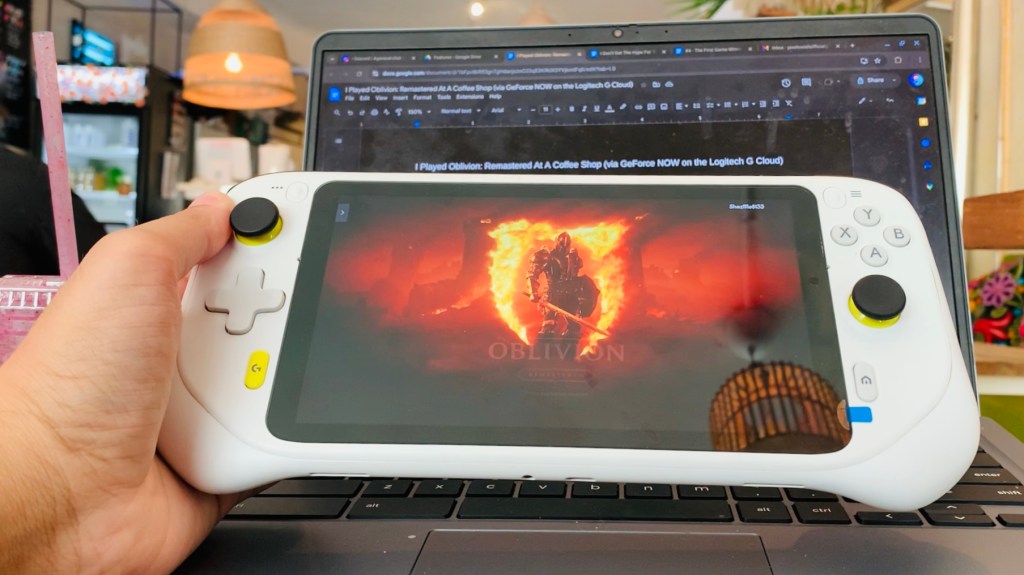
Once the game started, I was off, and to my surprise, everything was running somewhat smoothly. I definitely noticed some artifacting and visual noise, which is to be expected on such slow Wi-Fi while also playing at a lower bitrate. There were some stutters, too, though latency felt fairly low. Unfortunately, I could only play for a couple of minutes before GFN booted me out due to network failure. Clearly, even a 20 Mbps bitrate was asking too much from this quaint little juicery’s terrible Wi-Fi. And so, I went back and lowered the bitrate even more, now to a measly 15 Mbps, while also locking the stream to 30fps. This proved to be a much smoother, albeit uglier experience. Even though I was able to play at 1080p and bump up all the beautiful Unreal Engine 5 bells and whistles to “ultra,” including hardware lumen ray-tracing, while still getting north of 30fps while outdoors and north of 50fps while indoors, the terrible artifacting and low bitrate made for a pretty mediocre visual experience—an experience that took I’d say took away from my enjoyment of the game.
Playing such a beautiful remake of a classic RPG in such conditions is obviously not the way to go. And, on that note, Virtuous have done an amazing job with Unreal Engine 5. Some of the lighting effects in this remake are gorgeous. Back to the point, that’s not to say you can’t play this game via the cloud in public and on the G Cloud—you most certainly can, you just need to make sure that your coffee shop (or, in this case, juicery) doesn’t have Wi-Fi rivalling late-90s era dial-up. As long as you’re in a place where you’re getting consistent speeds north of 35-40 Mbps, you should be good to go.
 Pixel Swish
Leave a comment