
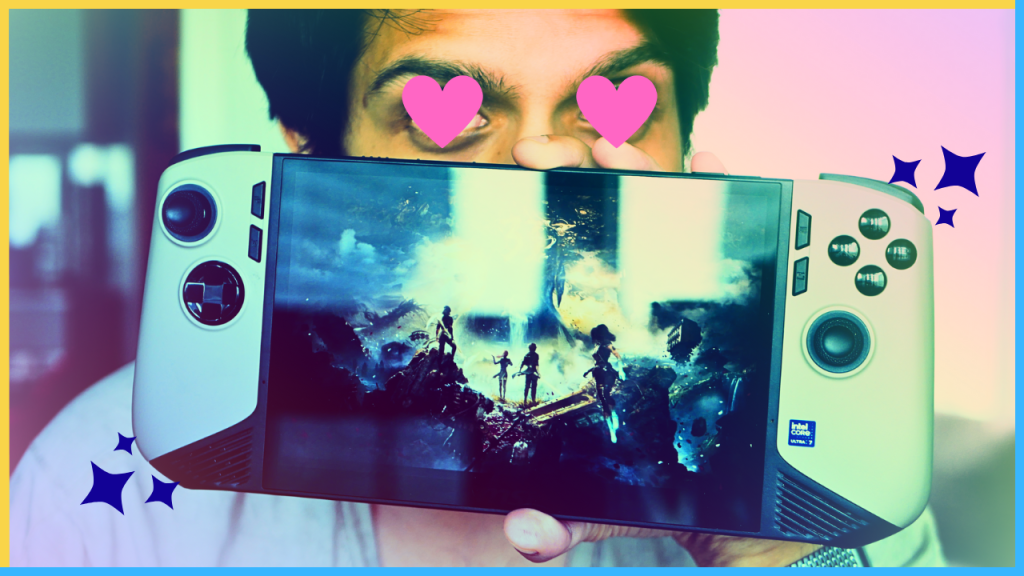
Two weeks ago…
“The PC handhelds we’ve gotten from the likes of Asus, Lenovo, and others, though impressive and very exciting, still fall short in one way or another from this dream of mine. However, the Claw 8 AI+ may very well close that gap, but at 1300 Canadian dollars, I may need to start dreaming about something else.”
Yes, Shaz, you most certainly do need to start dreaming about something else—a new savings account.
If you haven’t read or watched my last feature about how every current PC handheld falls short of my dream handheld device, the gist of it is that each device currently available on the market lacks one or more features that keep it from being perfect for me. The Ally X’s screen is a little too small for triple-A titles, the Steam Deck is underpowered and lacks RAM, and the original Legion GO has bad battery life and also lacks RAM. The only device that seemed perfect in every way was the MSI Claw 8 AI+. But it costs 1300 Canadian dollars, and that’s if you can even find the damn thing and don’t have to pay a scalper’s interest. So when I saw a unit randomly pop up on my local Facebook Marketplace, with the seller listing their practically new unit for just under MSRP and even adding a few nice accessories, I had to have a conversation with my savings account.
It’s been a week since I’ve gotten the Claw 8 AI+, and I’ve been having an absolute blast with it. It’s blown me away in pretty much every aspect, from performance to battery life to everything in between. Well, everything except one glaring aspect, which I’ll get to in a bit. For now, let’s get into what I’ve been loving about the device and my overall thoughts after a week of use.
Screen, Buttons, & Ergonomics
The moment you pick up the Claw, you’ll instantly realize just how much of a beastly unit this thing is. This is an incredibly solid piece of tech with a heft and rigidity to its build quality. It by no means feels cheap, which, for as much as it godamned costs, it better not. Yet, for as big and substantial as it feels, it’s not heavy, per se. At 795 grams, the Claw weighs only a hundred or so more grams than the original Steam Deck. I’ve been able to play quite comfortably for hour-plus-long sessions without feeling much hand fatigue. Much of that is thanks to the ergonomics of the device, which I think are quite good. I’m a big guy with medium to large hands, and they wrap very nicely along the curvature of this device. The handles also protrude out just enough and have ridges on them to provide a nice grip, which helps to feel like you’re holding an actual controller and not just a slab of flat plastic.
The buttons are also very nice. They’re in the standard ABXY layout and feel very much like the ones on the Xbox controller. The sticks and triggers are Hall Effect; they’re full-sized and feel quite good as well. The one aspect I was concerned about after watching some reviews was the D-pad, as some reviewers didn’t like how it felt for fighting games. As someone who casually dabbles in Guilty Gear Strive and retro 2D titles, this was a concern of mine. Happy to report that the D-pad, for me, feels great. It’s like the Xbox controller, but not clicky, which is a big plus for me. Yes, the edges of the directional buttons do slope up a bit, which can be a little awkward feeling for the thumbs, but I got used to it fairly quickly and didn’t have much issue pulling off quarter circles in Strive.
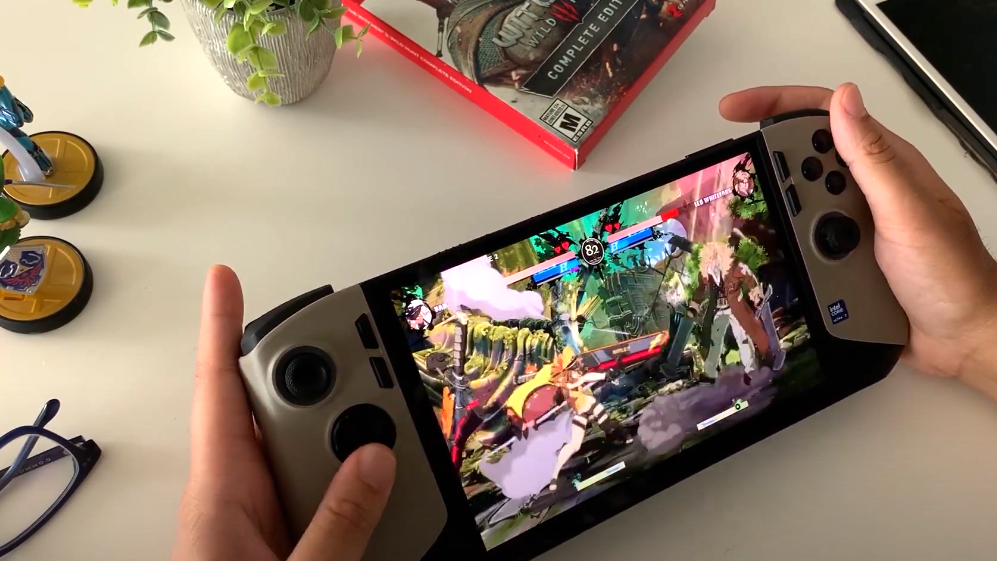
There are also a couple of nice macro buttons, which you can use to bind certain button combos. I mainly just use one, which I rebinded to L3 for sprinting, as I don’t like pressing down on the sticks. Lastly, I will say, even with above-average-sized hands, I do at times still find it a little difficult to reach the shoulder buttons when holding the device naturally, having to, at times, slide my hands ever-so slightly up the device to hit them. Not a big deal by any means, but something to note if you’re someone with smaller hands.
Now, let’s talk about the screen. This is an 8-inch, 1200p LCD panel with VRR, and it’s perfectly nice. It’s not OLED, so you won’t get those popping colours with perfect black levels, but it’s a nice quality LCD. And the 8-inch screen makes playing triple-A titles an absolute blast, with that VRR helping to mitigate any sudden stutters with the framerate. In terms of brightness, the Claw goes up to 500 nits, which is sufficient for playing in bright rooms, though it might not be quite enough to play under direct sunlight.
Performance & Battery Life
Let’s finally talk about the two biggest factors anyone looking into a PC handheld should care about: performance and battery life. I’m going to go right ahead and say it—the MSI Claw 8 AI+ is an absolute beast that can run a marathon. Going in, I knew that the Intel Lunar Lake chips were beefy, and that the Core Ultra 7-258V paired with the Arc Graphics 140V inside the Claw 8 not only benchmarked in gaming tests better than the AMD Z1 Extreme chip, but in some cases better than even the yet-to-be-released Z2 Extreme chip. But seeing benchmarks or tests on YouTube isn’t comparable to actually having the device in your hands and seeing how fluidly demanding triple-A games run on it.
I’ve played a ton of Doom: The Dark Ages at 1200p, medium settings, with XESS set to “balanced,” and was comfortably getting north of 40 frames per second, which for me was a perfectly smooth experience. I also played a few hours of The Witcher 3 at 1200p, high settings, with XESS on “quality” and got around the same framerates. The crazy part, though, is that I was able to play at those settings and get those framerates while never bumping up to the full 30-Watt TDP. To get the most battery life, I’ve been playing every triple-A game at 17 Watts, and have yet to run into any issues. The only time I did was to test out Ray-Tracing on The Witcher 3, where I was able to play the game at 1200p, medium settings, XESS at “balanced,” and Ray-Tracing turned on and still achieve 30+ fps. Imagine that, playing a triple-A title with Ray-Tracing at playable framerates, on a handheld device.
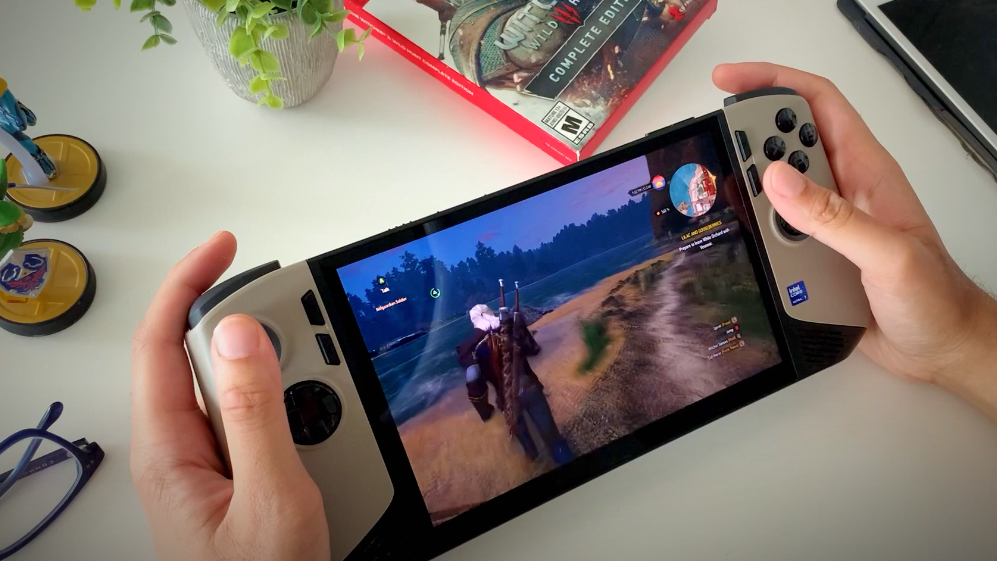
When it comes to battery life, as I eluded to earlier, the Claw 8 is an endurance champ. With an 80Whr battery, playing games at eight or 17 Watts gives you anywhere from 3-12 hours of game time. I’ve been able to have two or three play sessions throughout the day, and still have juice left over by the time I go to bed. Yes, playing at the full 30 Watts will cut that length quite drastically, but as mentioned, because of the sheer power of this device, I’ve yet needed to go to that 30-Watt TDP. And with the continued development of XESS and third-party frame-gen programs like Lossless Scaling, I doubt I’ll need to anytime soon.
One Glaring Flaw
Alright, so I’ve spent this entire video gushing about the Claw 8 AI+, and rightfully so, because I love this device. But, it’s not perfect, so let’s dish out some criticism, of which I really only have one—but boy, is it a damn big one. Software. First off, Windows isn’t great. I left Bill Gates and his trillion-dollar company a decade ago for Tim Cook and his trillion-dollar company. Mainly because I thought Windows sucked. Ten years later, and Windows…still kinda sucks. It’s not terrible, and is far less finicky and obtrusive than when I last remember using it, but things still randomly glitch out, and I quickly find myself having to do busywork when I’d much rather be playing games. That being said, once I did all the Windows updates, updated all the necessary drivers, and set certain settings to my liking, it’s been, for the most part, okay. And I’m fine dealing with its minor quirks, especially because it allows me to use Game Pass seamlessly, dabble with emulators, and even use it as a proper workstation if I want.
What hasn’t been okay, however, is MSI’s software. Below the “start” and “select” buttons are two additional buttons: one for bringing up MSI’s quick access menu and the other to launch MSI Centre—neither of which work half the time. The quick access menu will either be incredibly laggy to show up, or won’t show up at all, to the point where if I want to adjust the brightness, I end up simply swiping to bring up the Windows taskbar and doing it from there. When I would rather interact with Windows than your software, you know you’ve screwed up. MSI Centre is also a clunky mess. It’s slow, buggy, and even ended up crashing the device one time. Thankfully, it’s gotten better in the week I’ve had the Claw 8 after an update, but it’s still nowhere near as fluid as I’d like. And I’m fine dealing with Windows’
Overall, for as much as it pains me to be $1300 poorer, I can’t deny that the MSI Claw 8 AI+ has, thus far, been an incredible device to use. Even with MSI’s terrible software, which I’m hoping gets better with updates as the months go on, this device has fulfilled all of my handheld gaming dreams, and I’m very excited to see how far I can push this thing in the months to come.
 Pixel Swish
Leave a comment