
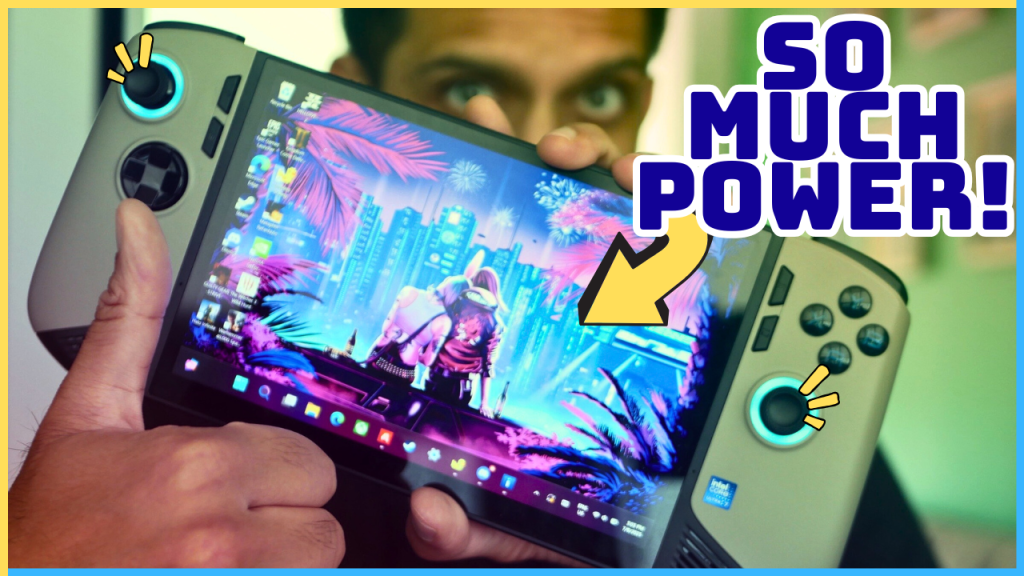
Let me cut to the chase: The MSI Claw 8 AI+ is an incredible device. So incredible, in fact, that it’s replaced all of my other gaming devices and has become the primary way I’ve been playing games over the past month and a half, to the chagrin of my PlayStation 5, which gives me the side-eye each time I pick up the Claw instead of the Dualsense. That’s because the Claw 8 AI+ (terrible name aside) is an absolute powerhouse and, just like I said in my original impressions piece, is almost everything I’ve ever dreamt about in a handheld gaming device. I say “almost” because there is one aspect that keeps it from being perfect. But, before I get to that, let me cover the basics and all that makes MSI’s handheld so impressive.
The Look & Feel
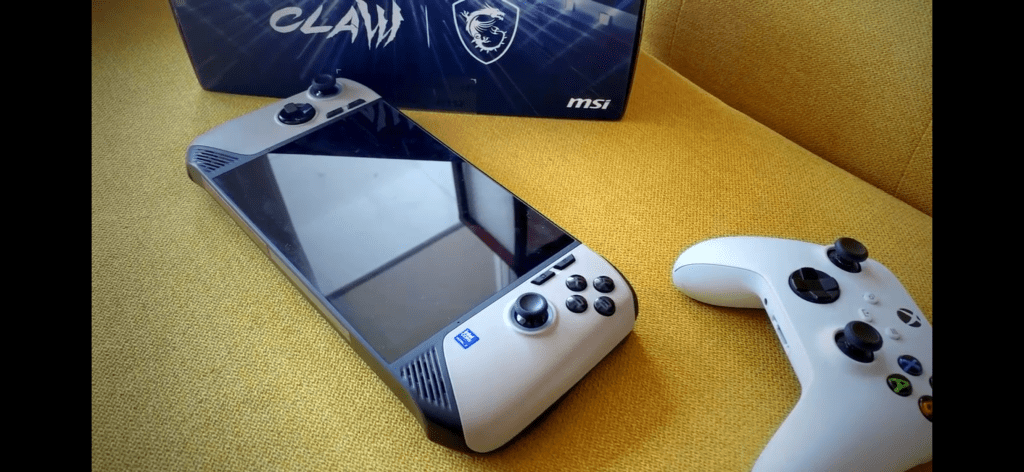
If you couldn’t tell, the MSI Claw 8 AI+ is a big and beefy device. At almost 800 grams, this big boy is a little more than 150 grams heavier than the Steam Deck OLED and 260 grams heavier than the Switch 2. This weight is used in part to house an impressive 8” display, a powerful Intel chipset—both of which I’ll touch on in just a bit—and a set of full-sized buttons and Hall effect thumbsticks and triggers. Though this weight is evenly distributed across the device, you can certainly feel it in your hands. It’s been one of the ongoing issues I’ve had with the device, actually—finding a comfortable way to play for long sessions without having hand fatigue.
I could simply rest it on my lap, but that would make for some terrible ergonomics, which would no doubt cause my aging neck to have a creak in it for a month. Playing it on a desk feels great, but I don’t want to play my handheld device on a desk. And using armrests while sitting to prop my elbows up helps with arm fatigue, but not hand fatigue. The best solution for both that I’ve found—and many handheld users have discussed this on Reddit threads—is to place a couple of pillows on my lap and rest the Claw 8 on top of them. This makes for a much more ergonomic setup while nullifying both hand and arm fatigue.
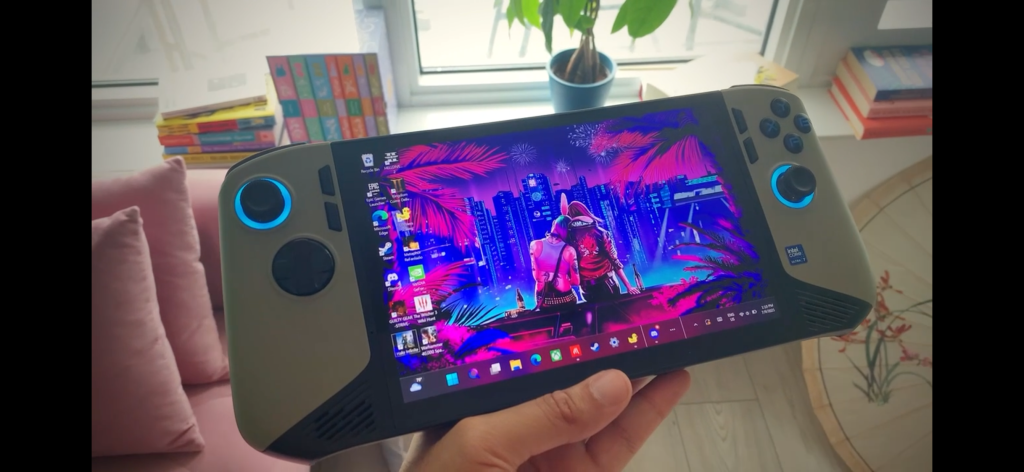
While in the hands, the Claw 8 feels like a damn unit. There’s a rigidity and firmness to its build quality that makes for an impressive-feeling in the hands each time you pick it up. This feeling didn’t go away for me, even after a month of use. It’s a feeling that you’re holding something substantial. Something powerful. In terms of design, MSI has done a great job in making the Claw 8 as sleek and efficient as possible while having decent ergonomics. The curved edges paired with the ridges on the back do a good job of making for a fairly comfortable grip. Its overall footprint is actually a few millimetres smaller than the Steam Deck, even though it houses a screen that’s nearly an inch larger. Still, if you’re someone with hands on the smaller end, this handheld may prove a tad unwieldy, so take that into consideration because a small device, the Claw 8, is most certainly not.
Speaking of screens, the Claw 8 features an 8-inch, 1200p VRR LCD with a 16:10 aspect ratio. Although it’s not OLED, the colour reproduction and sharpness of this display are solid, and the sheer size of it makes for an impressively immersive experience. Even though 8” doesn’t sound all that much bigger than 7”, which is the size of other handhelds like the Logitech G Cloud and the upcoming ROG Xbox AIly, the experience is vastly more immersive in reality. Crazy how much difference an inch makes (there’s a dirty joke in there somewhere.). That VRR screen also does wonders to make for a buttery smooth gaming experience. Gone are any noticeable stutters when you’re playing games at unlocked framerates and have dips from 60fps to, say, 48fps; it all looks and feels consistently responsive.
As far as the buttons, sticks, and triggers go, everything is full-sized and feels properly premium. The face buttons are in the standard ABXY layout and feel very much like the ones you’d find on the Xbox controller. As mentioned, both the triggers and sticks are Hall effect, which are precise and should provide some good durability in the long run. One thing I do like is how the shoulder buttons aren’t clicky like the Xbox controller. I’m someone who’s sensitive to sharp sounds, and as such, prefer all my buttons to be on the quieter end, which MSI has thankfully provided all around with the Claw, including the D-pad. On that note, the D-pad here is decent. Initially, I was quite happy with the D-pad, but after recently having gone back to playing the PS Vita, I realized what an amazing D-pad actually feels like. An unfair comparison, for sure, and compared to other modern handhelds and controllers, the one on the Claw 8 is on the better end of things.
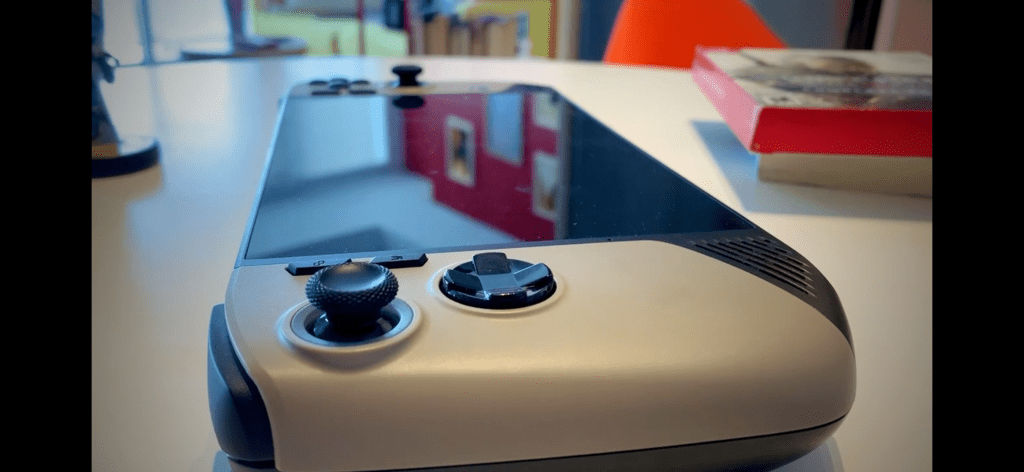
All in all, the Claw 8 AI+ looks and feels like a premium device. As it should, considering its cost rivals that of a month’s rent for a small studio apartment. It’s a substantial piece of tech that leaves an impression. I’m unsure how I feel about the brownish grey “sand”-like colourway, but it’s unique in that it gives it a more industrial, almost brutalist look.
The Power
If you’re anything like me, this is the section you’re most interested in. As such, I won’t faff about too much and get right to it: The Claw 8 is an absolute beast when it comes to performance. The 258V paired with the 140V is a monster duo that I’ve yet to see the full potential of. If you’ve watched or read my piece on PC handhelds, you’ll know that my dream handheld was a device that could play modern triple-A titles at 40+fps while at native resolution and medium settings, all the while achieving at least three hours of battery life. Well, I am happy to report that this dream has, more or less, become a reality thanks to the Claw 8.
Over the past month and a half, I’ve played games like Helldivers 2, Halo Infinite, Space Marine: Master Crafted Edition, Kingdom Come: Deliverance II, and Doom: The Dark Ages, and have been frankly blown away by how this handheld has performed. For every title save for Doom: The Dark Ages, I was able to play at 17 Watts while cranking the resolution to the native 1200p with settings being a mix of medium, low, and even high, and achieve 40+fps in the process. Some games, like Helldivers 2 and Kingdom Come: Deliverance II, needed a little tinkering and the use of FSR, but I was eventually able to get there. Not to mention, if your base fps is at least 30-35, using a third-party app like Lossless Scaling can double that framerate instantaneously without any noticeable hit to image quality, making my need to bump up to higher wattages practically unnecessary.
When it comes to a game like Doom: The Dark Ages, which has baked-in ray-tracing features, it’s a little tougher to run smoothly at 17 Watts, especially at 1200p. You could turn down all the settings to low and the resolution to 900p while setting XeSS to “Ultra Performance” to achieve playable framerates, but in my testing, it was simply more worth it to crank the TDP to its full 30 Watts. At 30 Watts, you can expect a little under two hours of battery life, which is impressive considering how much power you’re able to get while running the handheld at full tilt. For me, however, battery life is very important. As such, I’d much rather tinker with settings and upscaling tools to ensure I can play my games at decent settings while at 17-20 Watts, which, paired with the 80Whr battery, gives me anywhere from three to four hours of battery life; more than enough to run me through a couple of play sessions.
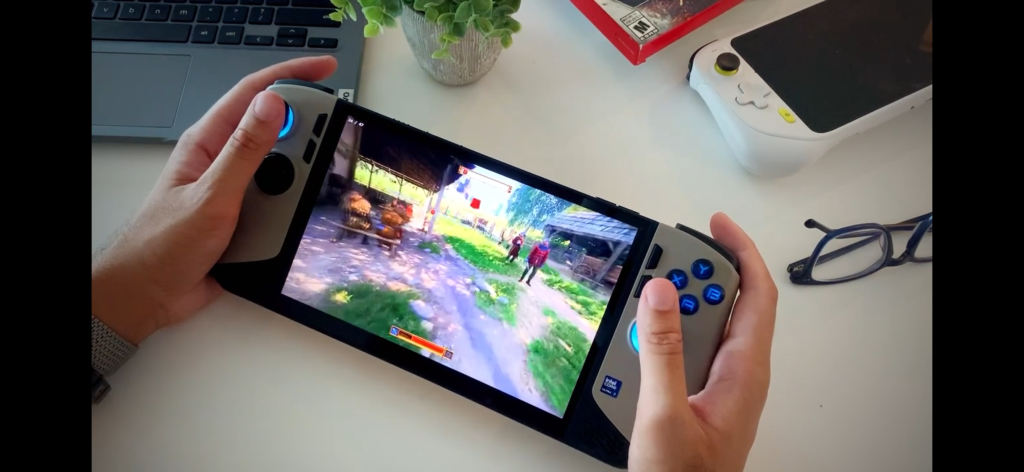
Intel’s Lunar Lake 140V has proved to be a more than capable chipset, one that reportedly rivals AMD’s Z2 Extreme. With how surprisingly competent Intel has been (at least thus far) with driver updates and support, I wouldn’t be surprised if this chip ages better than AMD’s in the long run. That isn’t to say there aren’t a couple of drawbacks, however. For one, some games, like Halo Infinite, don’t directly support Intel chips. As such, when launching the game, I’m met with an error pop-up each time. Though I can still play the game and everything runs fairly well, I have had the game crash on me on more than one occasion. This is more on the developer’s side, but it is something to keep note of if you play games that don’t support Intel hardware. Furthermore, though I much prefer Intel’s XeSS over AMD’s FSR, many games have yet to support the upscaling technology, especially its newer versions. Support is increasing rapidly, but it’s also worth noting if you’re planning to play some more demanding games that will require upscaling to achieve better performance.
The Problem
Well, it’s time. The one big problem that keeps MSI’s impressive handheld from being perfect. For those who have read or watched my impressions piece, you’ll know where this is going. Software. To put it bluntly, MSI’s MSI Centre M sucks. To the point where I would much rather deal with Windows and its frustrating touch UI than have to deal with MSI’s overlay. Which is saying a lot, considering how much I abhor Windows.
MSI’s software experience is slow, sluggish, buggy, and outright doesn’t even work half the time. Over the past month and a half, MSI has rolled out a couple of updates for the handheld, and yet the experience is practically unchanged. And before some of you Claw owners start coming at me in the comments, saying how I need to set MSI Centre to “high priority” in the task manager—I have, and the experience is still garbage. Now, I should clarify that when I say MSI Centre, I’m mainly talking about the overlay that should appear when you press one of the function buttons on the Claw 8. MSI Centre, the app, though still frequently sluggish and at times doesn’t launch, is at least a little more reliable, though far from what I would consider a “good” experience. For a device that costs 1300 Canadian dollars, I shouldn’t have to deal with such terrible software, and it’s baffling that nearly six months in, a company like MSI still hasn’t figured out a way to fix it.
Shifting gears from MSI to Microsoft, on the Windows end, things are serviceable at best and annoying at worst. Windows was not made as a touch interface, and boy, does it show. Touch inputs at times don’t register; when I want to bring up the dashboard while in a game to change the brightness (because, as mentioned, I don’t want to gamble with MSI’s overlay), it won’t work the way I would intend it to; dealing with constant driver updates and random notifications is frustrating; and game performance will sometimes take a hit due to Windows randomly allocating resources to tasks in the background.
That being said, nothing has been so bad that I’ve wanted to bang my head against a wall the way MSI’s software has. And there is some good with Windows. For one, it allows me to have access to all of my game libraries across Steam, Epic, and Xbox, which means I have access to Game Pass, a service I love and use very often and wouldn’t be able to have access to on something like the Steam Deck. And some functions on Windows, like Hibernate, have been surprisingly consistent and reliable, allowing me to jump back into a game almost instantaneously without Windows going on the fritz. It’s nowhere near as quick as a Switch or a Steam Deck, but considering how used I am to Windows’ fickleness, I’m quite pleased at how easy it’s been to jump in and out of games—something I would consider essential for a handheld.
The Verdict — 8/10: “It’s Superb”
A diabolically lacklustre software experience from MSI aside, the Claw 8 AI+ is a tremendous handheld that offers more than enough power to handle even the most demanding of triple-A titles. Its hefty and premium design offers a feeling that you’re holding something of substance. This design aesthetic goes beyond just the body, as everything from the Hall effect sticks and triggers to the face buttons and D-pad, and the beautifully immersive 8” 1200p screen are all of high quality and result in a thoroughly enjoyable experience that makes the eye-watering price tag (somewhat) digestible. Though Windows is still not a great fit for a handheld device, once set up to your liking, it, for the most part, stays out of your way. MSI has made this gamer’s dream come true; now let’s hope they can get their act together and fix their terrible software.
 Pixel Swish
Leave a comment