
Clearly, I have ADHD, because it was only last month when I was excitedly gushing about my love for my newly purchased MSI Claw 8AI+. It was only a couple of weeks ago that I penned a nostalgically dowsed article about the PS Vita and how much I’d loved going back to playing the 2011 handheld all these years later. And now, here I am, frolicking off with yet another device that’s captured my gaming whimsy. At this point, there’s no helping it, so I may as well embrace it and share my thoughts with you, dear reader, about my newest gaming fancy.
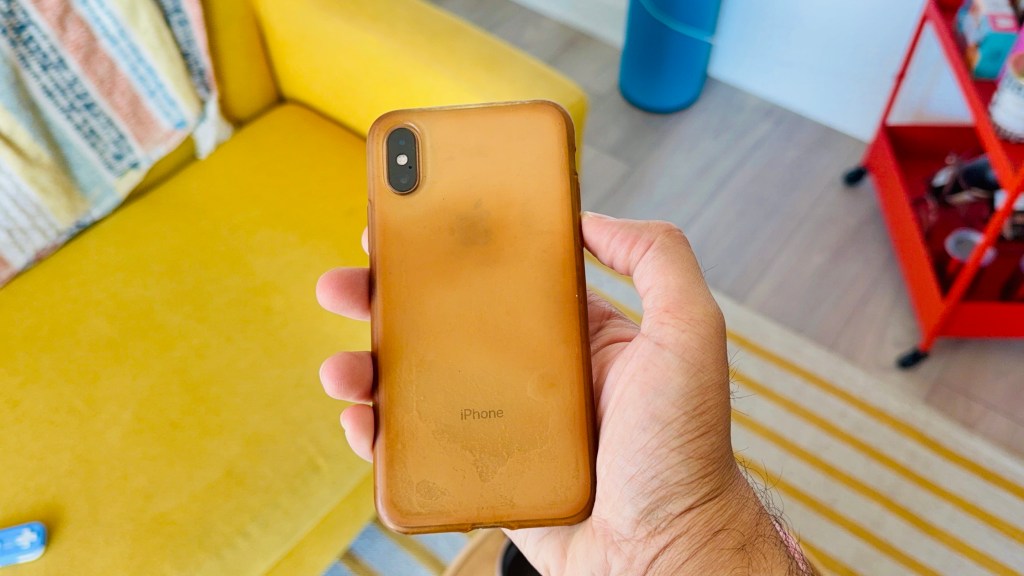
After six long years, I decided to finally upgrade from my old iPhone XS to Apple’s best offering from their latest lineup of titanium slabs—the iPhone 16 Pro Max. It’s been a couple of weeks since I got hold of the big fella. Though I hesitate to compliment a multi-trillion-dollar corporation like Apple, I must give credit where it’s due and admit that I’m more than impressed with how this device has performed in my short time with it, particularly on the gaming side of things. To the point where, with the help of a couple of small accessories, it became my primary gaming device over the past week and continues to be the device I grab first simply because of how well it performs and how easy it is to pick up and play.
Like any true gamer, whenever a new and shiny device falls into my hands, the first thing I do is try and see how far I can push it in regards to gaming. I did this over a decade ago with my first ever iPhone, the iPhone 5, playing an impressive 3D game like Lili, which was a showcase for the device at the time. I did it a few years later when I decided I’d had enough of Tim Apple and went over to South Korea’s finest, Samsung, with their Galaxy Note 8; a phone I still consider to be one of my all-time favourites. I’ve done it with tablets and even Chromebooks, and I’m doing it again now with the iPhone 16 Pro Max. So, just how far can I push Apple’s latest and greatest? Well, turns out, quite a bit.
The Games
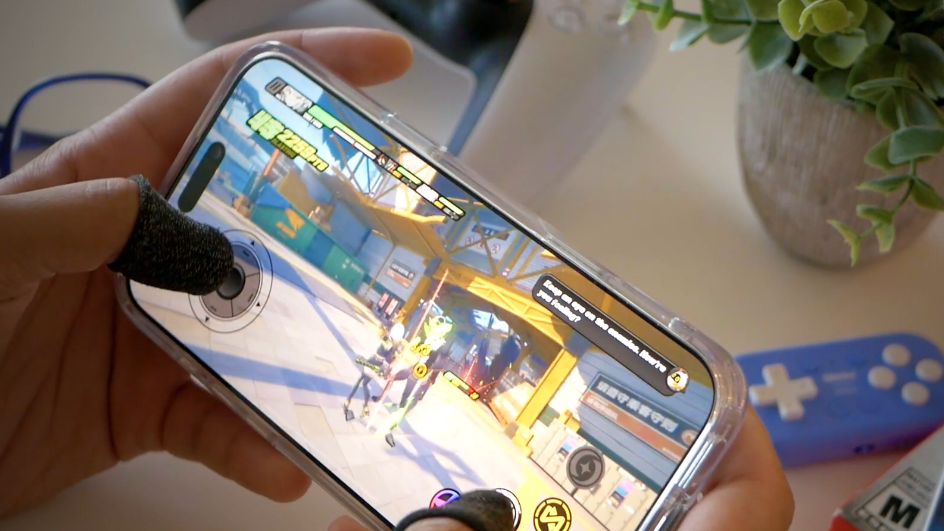
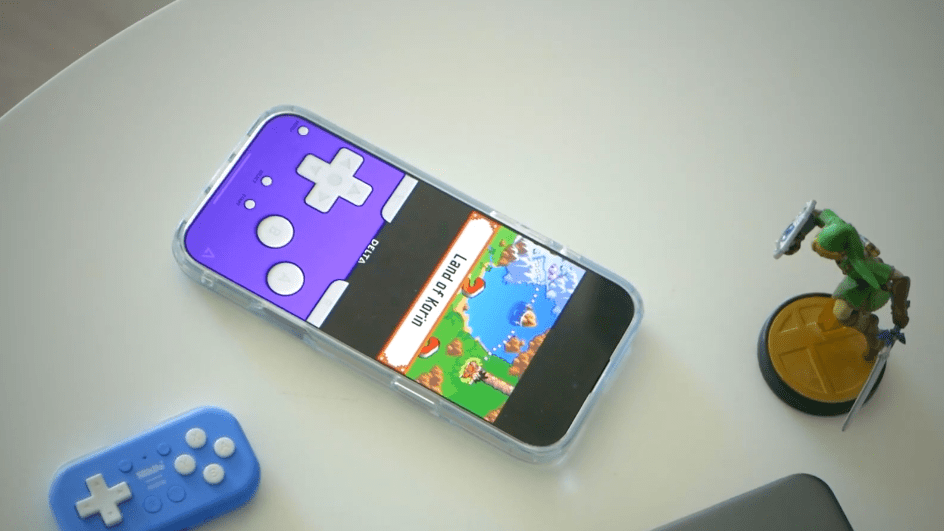
I’ve run this device through the ringer over the past week, playing everything from modern triple-A titles like the new remake of Resident Evil 4 and Zenless Zone Zero, to amazing indie titles like Dead Cells, to a slew of retro games through the Delta emulator. It’s all been an impressively smooth experience. For Zenless Zone Zero, which is a fairly demanding game from HoYoverse that came out last year, I’m able to bump up the graphics preset to “High” and still retain a pretty consistent 60fps. With a few tweaks, this could get bumped up to the full 120fps to take advantage of the 16 Pro Max’s ProMotion display. However, doing so would take a significant hit on battery life—something I’ll touch on more in a bit.
Other high-end mobile games like NBA 2K25 also run at 60fps while having the settings maxed out at “Ultra.” I was frankly blown away by how good both ZZZ and 2K25 looked. ZZZ, in particular, looks like a console-quality game and plays like a dream, even with touch controls. 2K25 is a little janky and not quite as smooth or intuitive in the hands compared to its console counterpart, but that’s more an issue with the game rather than the 16 Pro Max, which runs it perfectly without any noticeable hiccups or framerate drops. That being said, there were a couple of times where “Game Mode” didn’t automatically turn on for 2K25, which did cause some very minor stutters now and again, though it was hardly enough for me to be too bothered by it.
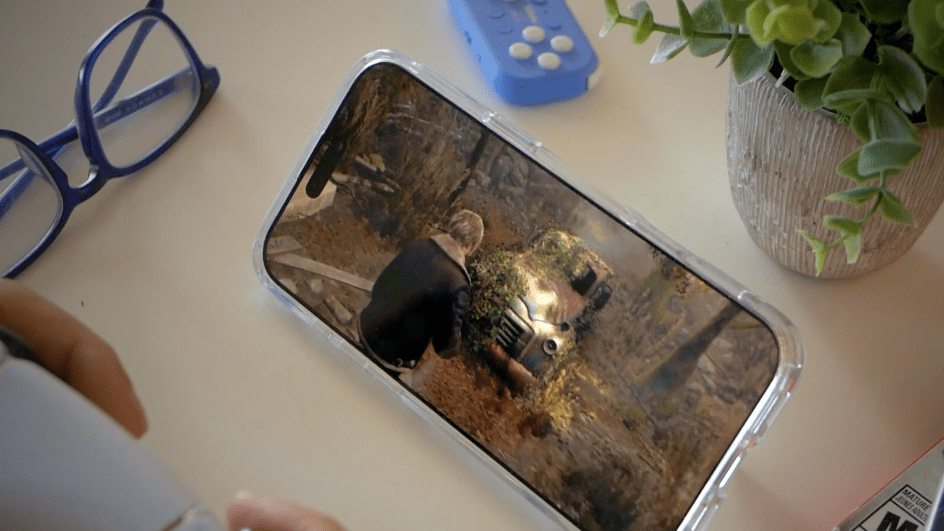
Now, even though it boggles my mind that we’re able to play current-generation, triple-A console titles like Capcom’s modern remake of Resident Evil 4, playing such a title on a phone – even one as impressive as the iPhone 16 Pro Max – wouldn’t be my first recommendation. But, for the sake of pushing the device to its limits, I was curious to see how it fared. And, as I suspected, I was both in awe and disappointment. In awe at seeing this game run, without the use of cloud streaming, at a mostly stable 30fps, on a phone. Playing with a PS5 controller and this setup felt like a childhood dream come true. Yet, the longer I played, the more I realized that this was not the way this game was meant to be played.
Firstly, it’s a cramped experience, to say the least. From text being far too small to be properly legible to everything in the environment requiring me to lean in to see properly, it’s simply an uncomfortable playing experience where I felt as though I couldn’t appreciate the visuals properly. Speaking of which, there were no graphics settings available for me, which is a decision made by Capcom, I’m assuming, to ensure players aren’t overheating their phones and getting terrible framerates.
Still, I would’ve liked to have some control over the visuals, which are…fine. It’s clear to see where Capcom had to cut corners to make this game run on mobile devices; Logan’s hair is filled with upscaling noise, as is most of the foliage and shrubbery outdoors, and most of the textures and environment details are set to pretty low settings. It still looks impressive, with the lighting especially bringing out some beautiful depth, but the entire time I was playing, I thought, “boy, this must look amazing on consoles and PC.”
Where I feel the 16 Pro Max – or honestly any modern mobile device – excels at, and where I have personally spent most of my time this past week, is with retro and indie titles. Playing games like Dragon Ball: Advanced Adventure on the GBA – one of the best Dragon Ball games of all time, don’t come at me – via the Delta emulator, and high-end indie titles like Dead Cells, is an absolute blast; looking and playing perfectly on the 6.9-inch OLED. For as much as the idea of playing large triple-A titles sounds amazing, in reality, if the game wasn’t made for mobile in mind (like Zenless Zone Zero), the experience won’t be a good one. Not to mention the biggest factor that keeps me, and I’d assume many others, from playing too many of these big games on our phones is battery life.
The Battery Life
Modern smartphones, especially high-end ones like the 16 Pro Max, are mostly very good at playing video games of all shapes and sizes. But they are used for far more things than just playing games (like endlessly scrolling on TikTok or buying a Goku wig on Amazon). As such, most of us don’t want to have a game siphon away half a day’s worth of battery in just a few minutes. For some reason, smartphone manufacturers refuse to give us bigger and better batteries and instead opt to make our phones even thinner each year, like an abusive mother of a beauty pageant contestant (I said no more carbs, iPhone!).
That being said, when it comes to the battery life of the 16 Pro Max, I’ll admit I’ve been fairly impressed. When capturing the b-roll for this video, I started with 95% charge. I spent nearly two hours ping-ponging between games, often getting a little too lost in each as I spent some time on each game even after the camera stopped rolling. After I was done, I ended with a commendable 67% left. This included playing the entire opening of RE4, a mission in ZZZ, a full game in 2K25, a run in Dead Cells, and a full level in Dragon Ball: Advanced Adventure. RE4, 2K25, and ZZZ were obviously the biggest hits to battery life, as I’ve had a few hour-long sessions over the past week in both the Delta emulator and Dead Cells while only losing around 8-9% each time, which for me is amazing.
The Accessories
For as great as some games work with touch controls, certain accessories are simply a must-have if you plan on doing longer play sessions on your phone. The three that I’ve been using this past week are as follows: The 8bitDo Micro, a kickstand case from ESR, and a pair of anti-sweat thumb sleeves. Let’s begin with the sleeves. As a man with overly sensitive sweat glands in his thumbs, playing any game with touch controls in the summer is an endeavour, to say the least. Slipping on these super cheap little sleeves makes a world of difference, allowing me to pull off awesome combos in ZZZ without worrying about my phone failing to register my sweaty thumbs.
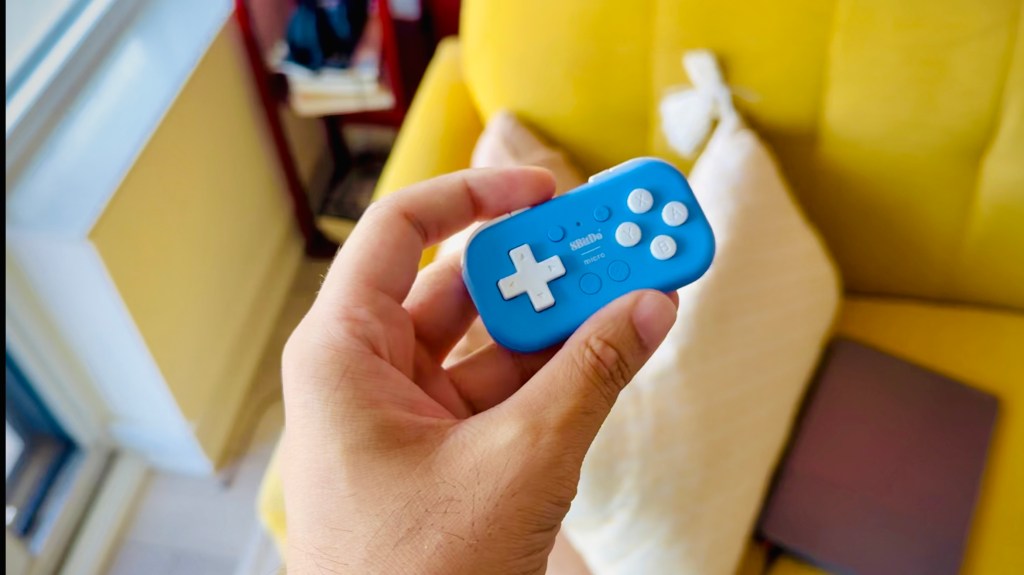
There’s not much to say about the kickstand case. It’s a case with a kickstand. It protects my iPhone while allowing me to prop it up on a table, a kitchen countertop, or my knee (yes, knee) at a moment’s notice. Neat. Now, for my favourite accessory: The 8bitDo Micro. You see, for as much as I can appreciate telescopic controllers like the Backbone or Razer Kishi, they take away from the one thing that I love about using my phone as a gaming device—portability. Not by much, obviously, but when going on a trip, they’re yet another device I have to allocate room for. Not to mention having to take my phone in and out of the thing every time I’m done using it. It’s a small and inconsequential thing, no doubt, but I’m someone who enjoys minimalism and seamlessness.
Enter the 8bitdo Micro. A Bluetooth controller the size of a Tic Tac container. I can’t begin to explain how much I love this little guy. Its size is small enough to fit in the coin pocket of your jeans, yet the buttons and D-Pad are surprisingly usable. Seriously, I’ve spent hours in Dead Cells and other precision-based 2D games and have had no trouble using this controller, all the while surprisingly having zero hand cramping or fatigue of any kind. Unsure if it’s because of the way I hold it, but it’s been an incredibly comfortable experience.
The iPhone 16 Pro Max is an impressively capable device, able to blaze through even the most demanding of games. Its screen showcases all of these titles gorgeously, while keeping things relatively cool and sporting long-lasting battery life. Though I still wouldn’t recommend playing ports of triple-A titles like RE4, as those experiences simply weren’t made for mobile, there are plenty of incredibly high-quality games both on the App Store and through emulators that are more than worth your time and run flawlessly on the 16 Pro Max.
 Pixel Swish
Leave a comment