

The RayNeo Air 3S Pro may just be one of the best pieces of tech I’ve ever purchased. Mainly because it has, for the most part, fulfilled a lifelong dream of mine.
You see, since I was a kid, one of my dreams has been to one day play all my games on a massive, gorgeous screen that felt like I was in a movie theatre. Growing up with an assortment of budget CRTs ranging from 24 inches all the way down to 13 inches, I was jealous of some of my friends and family who, by the late 2000s, had invested in HD TVs that had glorious 42-inch or bigger screens, meanwhile I was still stuck with my crappy 480p grey box with a screen no bigger than two Wii game boxes side-by-side.
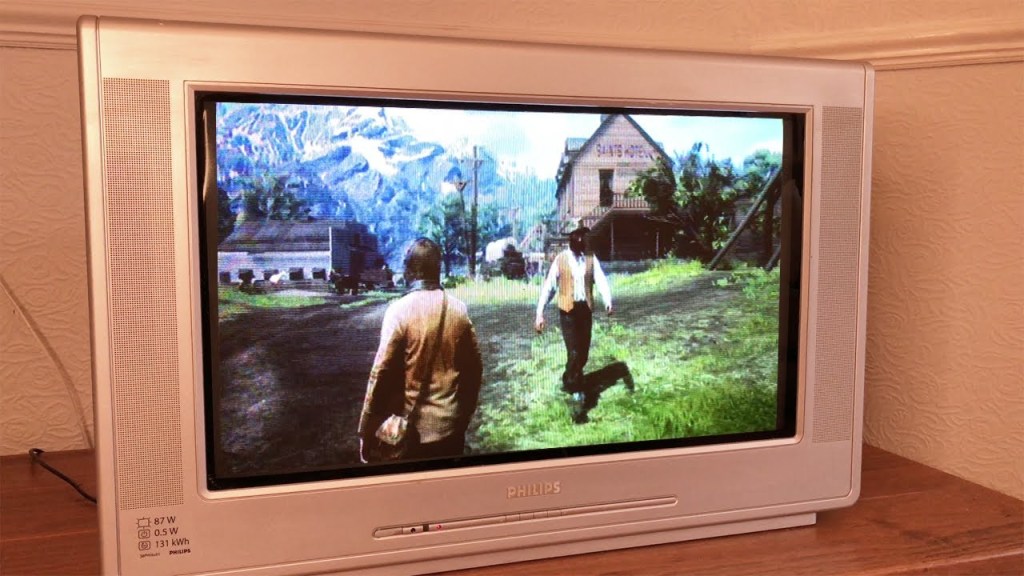
As the years passed and the costs of LCDs came down, and I had an unfortunate thing called a job, I was able to afford to fulfill this dream, though only somewhat. I eventually treated myself to a nice 65” 4K LCD from TCL for one of my birthdays. However, for as nice as that TV was, it was still a relatively budget panel with mediocre HDR. And 65 inches, though pretty big, just didn’t feel big enough (insert juvenile penile joke here). While on the search for an upgrade a few years later, to once again try and make this dream a reality, I realized that if I wanted both a very large panel and a very high-quality panel like an OLED, I’d have to shell out quite a few Canadian Loonies. Like, thousands of Canadian Loonies.
I was losing hope that this dream of mine was simply out of reach at this time. But then, as if the algorithm gods were hearing my plight, I began seeing ads for a pair of AR glasses made by a company called RayNeo, a subsidiary of TCL. I’d heard of AR glasses like XReal, but never considered them to be a proper replacement for a TV or monitor. However, the more I learned about the 3S Pros, the more interested I got. With marketing hype that says the glasses can output a ridiculous 201” display, one that’s a full HD Micro-OLED, has world-leading brightness that goes up to 1200 nits, and is priced similarly to that of a budget TV, it was hard not to get excited. And so, I threw caution (and $400 Canadian Loonies after some Amazon coupons) to the wind and picked up the RayNeo Air 3S Pro.
The First 48 Hours
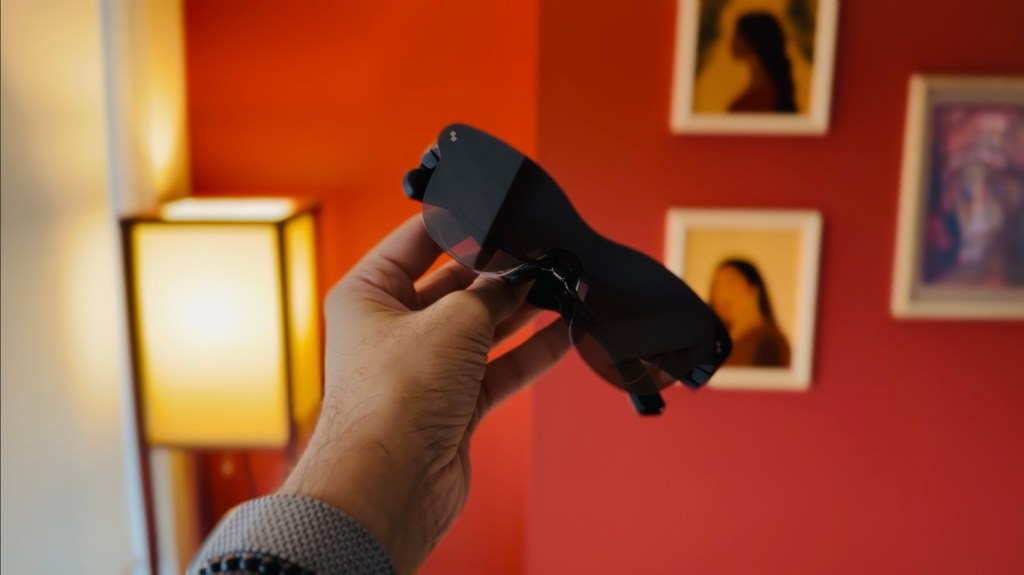
Upon arrival, I was pleasantly surprised by how well the device was packaged. The unboxing experience rivalled that of any premium piece of tech. Picking up the glasses, the first thing that stood out to me was how surprisingly light this device was. At 76 grams, these are only a couple of dozen grams heavier than a standard pair of sunglasses. That weight difference is obviously noticeable, given the tech inside these things, but I was honestly expecting something heftier upon first pick-up. In terms of build quality, we’re in plastic city over here. However, nothing about this plastic necessarily screams cheap. Everything feels rigid and solidly put together. I know other AR glasses use metal or aluminum, which obviously will feel more premium, but as these are my first pair of AR glasses, to me, they look and feel solid.
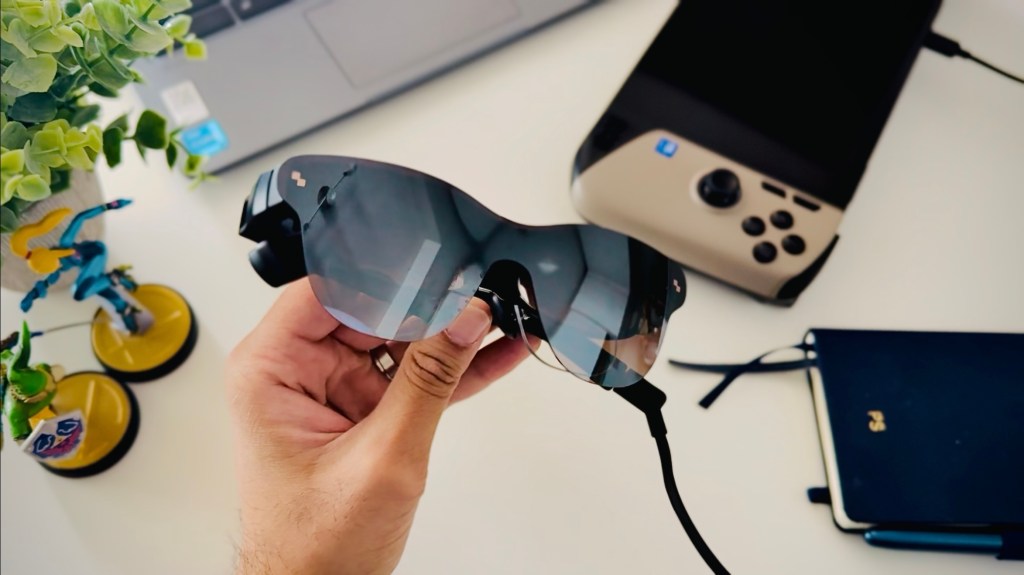
For buttons and ports, we have just one USB-C port at the tail end of the right arm for outputting your display. On the top of both arms, we have two upward-firing speakers, which I’ll touch upon in a bit as they surprised the heck out of me. And at the base, we have some buttons—on the right, a rocker that adjusts brightness, and on the left, another rocker for volume, and a button that brings up your settings menu.
Now, with all of that boring stuff out of the way, I want to talk about how my first couple of days with the RayNeo Air 3S Pro were. And, I’ll be honest, I was having severe buyer’s remorse when first trying to use these pair of glasses. Firstly, I use prescription lenses for nearsightedness. Now, the power for both my eyes is fairly low—between -1.5 and -2. As such, I don’t necessarily need to use my normal prescription glasses when playing games on a handheld like my MSI Claw 8 AI+. I’ll usually put them on when playing a game on my 55” TV at about six feet away (we had to sell our old 65” during a move), but sometimes don’t even do that. So I thought, since I’ll now be firing a massive display right at my eyeballs, that I won’t need to worry about my mild myopia. Boy, was I wrong.
As soon as my MSI Claw’s desktop showed up, everything was a smeary mess. Not only that, but the edges of the screen were either completely blurry or completely dark. Safe to say, I needed my glasses and to tinker with how these lenses fit on my face. For adjustments, RayNeo offers a couple of ways you can tinker with the fit. Each arm has three fixed points that you can click into. Be forewarned, adjusting them into those points takes a fair amount of force that I won’t showcase here because it scares the heck out of me each time I do. All I’ll say is for you to read the packaging to ensure you’re holding the glasses properly so as not to break something. Furthermore, the nosepads that sit on the bridge of your nose can also be adjusted into a couple of spots back and forth, in addition to the regular side-to-side.
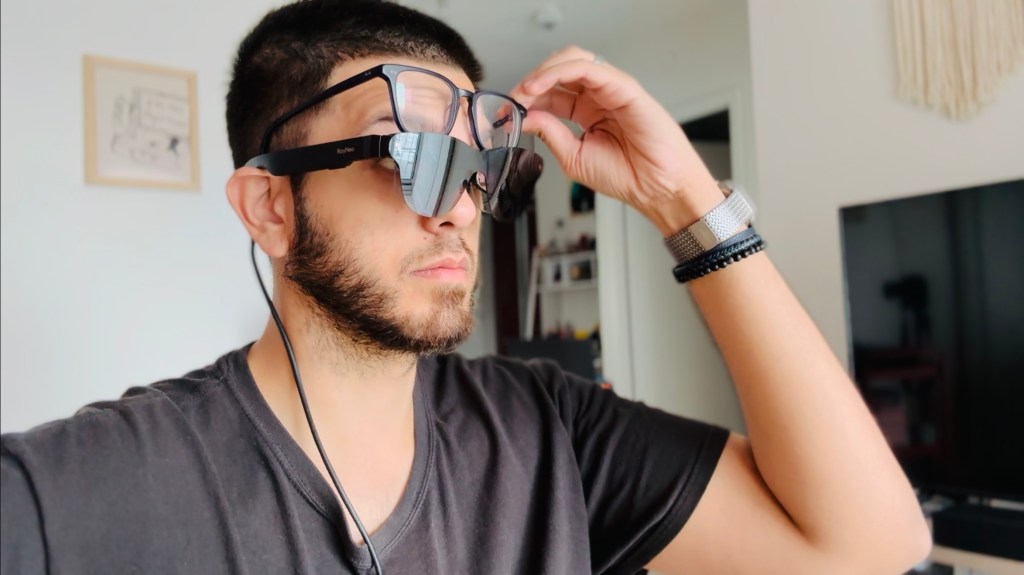
Unfortunately, no adjustments helped me place these glasses properly on top of my regular prescription glasses. Though I could now finally see that glorious micro-OLED, the viewing experience was far from ideal. Because my regular glasses pushed the 3S Pros further down, the edges of the display became completely obfuscated. It’s impossible to show you exactly what I was seeing, but this is a crude mock-up I made that emulates that viewing experience:
Not to mention, the weight of my regular glasses on top of the 3S Pros made for a far more fatiguing experience. I tried for two whole days to see if I could either get my regular glasses to work with the 3S Pros or if I could manage to forgo my regular glasses and just deal with the mild blurriness. Unfortunately, neither was an option. Also, side note, even without my glasses, I still couldn’t seem to get these things to fit on my face in a way that completely got rid of those blurry or dark edges. I kept tinkering with the fit, but nothing seemed to work. Again, it’s impossible to showcase what I was seeing, but here’s yet another crude mock-up that somewhat illustrates what I was seeing; this time without my prescription lenses.
I was upset, and thought I’d just wasted $400. But, I wasn’t about to give up just yet. I knew you could buy custom prescription inserts for all AR/VR headsets. After some research and finding a company that wasn’t charging an arm and a leg for a pair of these inserts, I settled on a pair made by a Chinese company named HonsVR. I purchased the inserts on a Wednesday, and to my surprise, got them on Monday the next week. Once arrived, I carefully inserted them underneath the nose pads and tried on my 3S pros.
A Second Chance That Changed Everything
Instantly after putting these glasses on with the prescription inserts, I felt as though I was having the experience I had hoped for. A gorgeous, vivid display that was bright and crisp, and felt as though I was in a personal movie theatre. Now, on that note, let’s talk about the quoted “201-inch” display, because this is a bit of cheeky marketing.
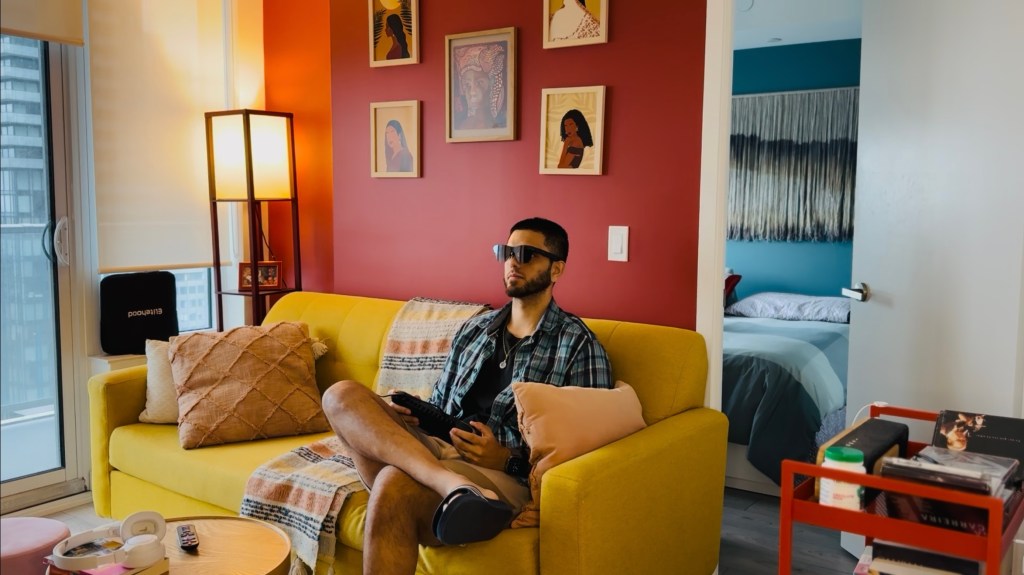
You see, once you plug these glasses into a device, what you’re met with is a fixed display in front of you that covers 46 degrees of your field of vision (FOV). These aren’t the Apple Vision Pro or another VR headset where you can manually adjust the screen size by pinching its corners. No, this is a fixed display whose size will be relative to where you’re sitting, and how far you’re looking outwards and “placing” the display. To give an example, when I’m sitting at my desk, which is placed against a wall that’s around three feet (or one metre) in front of me, the display I get looks like it’s about 32 inches. When I lean forward a bit, it looks like it’s about 27 inches. When I’m lying in bed and looking up towards my ceiling, which is about six feet (or two metres) away, the screen looks closer to 85-90 inches. Now, if your setup is such that your couch is closer to 20 feet (or six metres) away, then yes, you’ll definitely get the impression that you’re looking at a 200-inch OLED.
Nevertheless, I won’t lie, watching movies and playing games while lying all cozy in my bed, with a massive 90-inch screen, one that looks as good as this, being a micro-OLED, has been nothing short of a dream come true. My jaw honestly dropped the first time I booted up Horizon: Forbidden West. The colours, the contrast, everything simply looked gorgeous and gave me a whole new appreciation for the game. The fact that the display can go up to 120Hz is also great, giving me a perfectly smooth experience that never once felt laggy. Oh, and those blurry and dark edges I mentioned earlier? Well, after much finagling, I finally got these things to fit on my face just right, to where those edges are pretty much perfect. Not 100%, but close enough. I still have a hard time seeing the bottom corners, which can be annoying with in-game HUDs, but it’s honestly not that big of a deal.
In terms of sound, this is where I’ve been genuinely blown away. Considering how small these speakers are, I wasn’t expecting much, but they’ve been so good I haven’t once felt the need to grab a pair of headphones. They’re not the loudest, but they offer a surprising amount of depth and clarity. The “standard” profile is where I usually keep things, as it offers the best sound quality in my opinion. The “spatial” mode is interesting and can make it feel like a proper surround sound experience, but the quality seems to take a considerable hit. And the “whisper” mode is neat for times when my wife is reading next to me and doesn’t want to hear me ripping into hordes of Locust in Gears of War. Though this mode does isolate sounds quite well, it’s not completely silent, and I needed to bring the volume down a decent bit for things to truly be “whisper quiet.” The sound quality also takes a bit of a hit in this mode, too.
The Verdict – 9/10
The RayNeo Air 3S Pro has become my primary display. It’s the display I use for gaming while in bed, or while on my couch. It’s the display I use for watching movies and TV shows. And it’s the display I used while writing this entire script. It’s been a godsend for a handheld-first gamer like myself, who’s consistently been trying to find that perfect position to play my handhelds that doesn’t strain my neck. Now I can just plug this in and play my games on a huge display, whenever, wherever, and without having to worry about battery life since it takes power from whatever it’s connected to. The micro-OLED, though only 1080p, is gorgeous and bright. And the sound is more than good enough not to need an external pair of headphones. Yes, in terms of functionality, these “AR” glasses really only do one thing, but boy, does it do that one thing really, really well. Though the initial setup process was a little frustrating, now that everything works the way it’s intended to, it’s frankly been a dream come true. A dream that I don’t plan on waking up from anytime soon.
 Pixel Swish
Leave a comment