
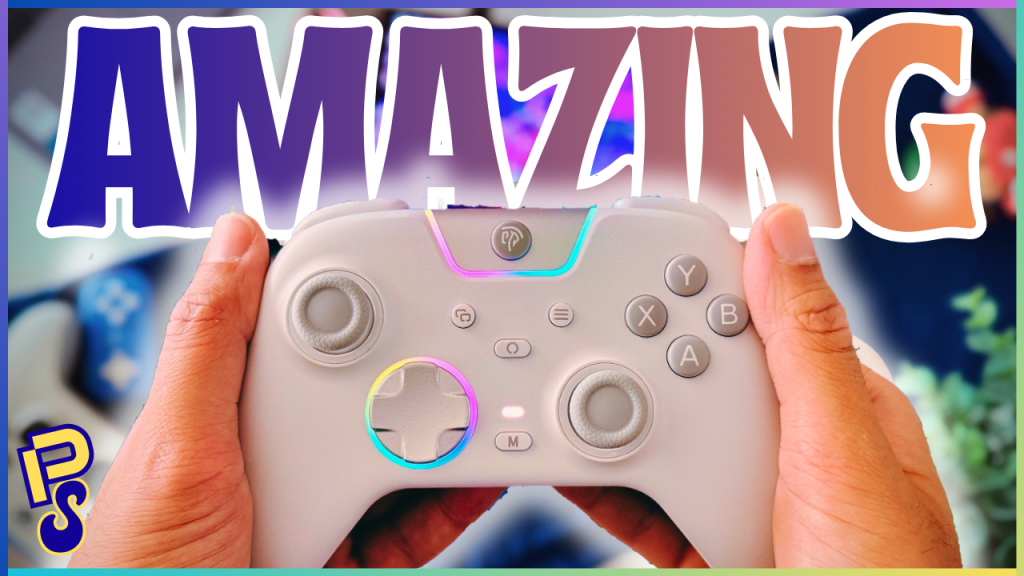
The X05 Pro controller by EasySMX may very well be the best controller I’ve ever used. That’s not hyperbole; this controller ticks every box on the checklist of things I want in a controller. And let me tell you, as someone who’s been gaming since the late 90s, no controller has ever done that. Not the DualShocks or DualSenses by Sony, nor Nintendo’s near masterpiece with the GameCube, and definitely not Xbox with their Duke (even though they came very, very close with both the 360 and Series X/S).
No, the manufacturer that has made the perfect controller, at least for me, is a company I’d never heard of until last week. Seriously, I thought these guys were a long-distance phone card company (remember those?!). So, let me tell you all about what makes the X05 Pro by EasySMX so special. By the way, this review is not sponsored in any way; EasySMX didn’t send me this controller; I bought it with my own money because I was tired of the concessions I was having to make with the first-party controllers I owned and was curious what the landscape was like in the third-party controller manufacturer space.
The Checklist
So, let’s first outline everything I want in a controller. Firstly, ergonomics and build quality. I want my controller not only to feel great in the hands but also to feel as if it were built with substance. It needs to have heft, a nice chassis, and, preferably, offset thumbsticks. Why offset? We’ll get to that in a bit.
Secondly, tactile but quiet buttons. As someone who’s sensitive to sharp noises, especially while gaming, and who’s married to someone who’s even more sensitive to such sounds, I need my buttons to be quiet. But quiet shouldn’t mean mushy; I still want some nice feedback each time I press a button. Thirdly, durable and satisfying sticks and triggers. Don’t give me slippery triggers like from the DS3, and definitely don’t give me sticks that are going to drift after three months (*ahem* Nintendo). I want something tactile, durable, and robust—bonus points if you can add some cool haptic features like the DualSense, but obviously not necessary.

Fourthly, and this one’s become increasingly more important in recent months: An amazing D-Pad. It seems as though console manufacturers have strayed away from making good D-Pads over the past couple of decades, since games have moved over to the third dimension. But these manufacturers have clearly forgotten that indie and especially fighting games still exist.
Though I can manage to play a lot of my favourite 2D indie games with an analogue stick, I would get my ass thoroughly handed to me in something like Tekken 8, a game that I’ve absolutely fallen in love with in recent months and has led me to dive deep into the FGC. This newfound love is actually one of the biggest reasons why I went on the hunt for a new controller, because none of the first-party options from the big three were ticking all of my boxes, especially on the D-Pad front.
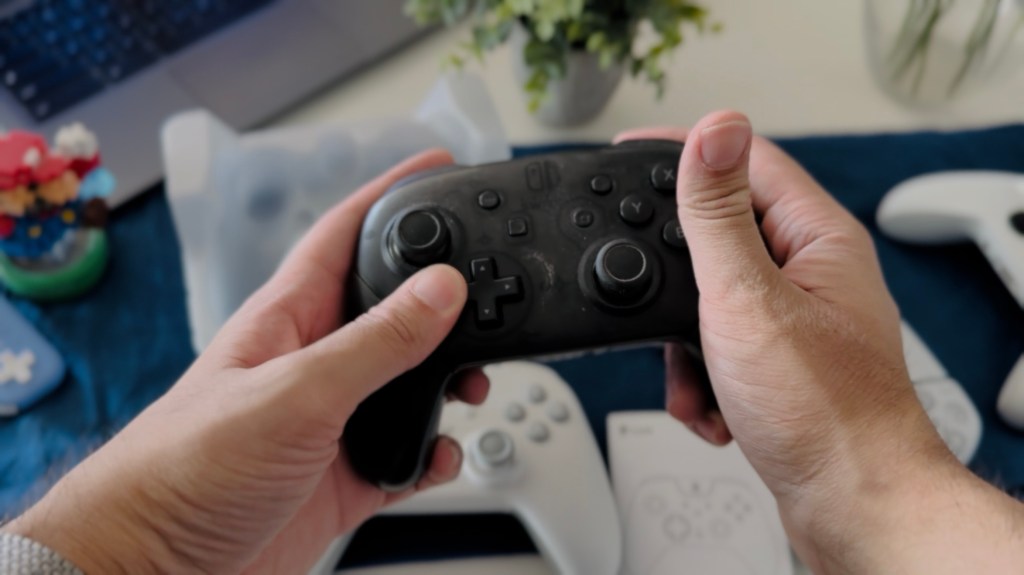
Fifthly, the extras. Rumble quality, connection options, battery life, remappable buttons, software support—all the little things that bring the whole package together. And lastly, price. In this economy, I’m not willing to spend hundreds of dollars on just a controller; I need all of these boxes to be checked for less than a Benjamin. Actually, less than a Borden, ideally. So, does the X05 Pro check all of these boxes? Well, let’s find out (spoiler alert, it does).
Oh, this feels GOOD
The unboxing experience is a pretty tame one. We get some boring literature, a USB-C to USB-A cable, a 2.4 Ghz dongle, and, of course, the controller itself. Upon first pick-up, my eyes widened, and my lips puckered with an audible, “ooohh” coming out of my mouth while holding this controller. “This feels incredible,” I thought.
If the X05 Pro looks familiar, that’s because it’s basically an Xbox 360 controller. And the Xbox 360 controller is, in my opinion, one of the most ergonomically perfect controllers ever made. Now, you may be someone who prefers symmetrical sticks—I find you strange, but you do you. For me, offset sticks were always far more comfortable in the hands, given how my left thumb just naturally sat on the left thumbstick and how the rest of my fingers wrapped around the controller.
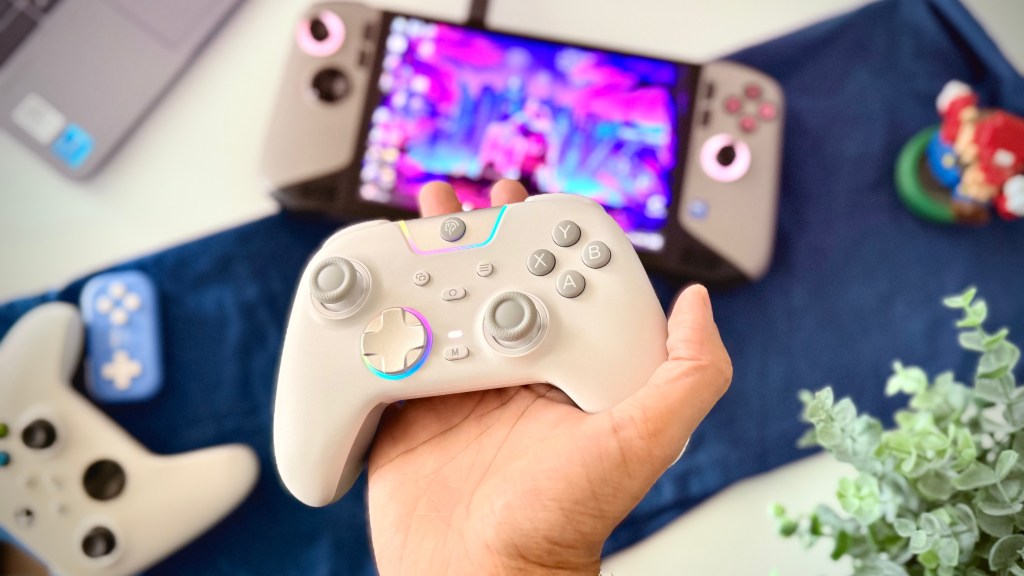
That doesn’t mean everyone who makes controllers with offset sticks does it right, however. Nintendo’s Switch Pro controller feels mostly fine, but as a big guy with relatively big hands, it is still a little odd to hold, given its shorter legs and the lack of curvature on its back, resulting in my fingers getting cramped after a while and me having to splay them out awkwardly. The Switch Pro controller is nowhere near as offensive, ergonomically, as Sony’s DualSense, however.
I’ll be completely honest, I’ve never liked PlayStation’s controllers. Some of the greatest consoles of all time, with some of the greatest games of all time, with some of the most horrendous controllers. Whether it’s the tiny legs of the DualShock 2, the terribly slippery triggers of the DualShock 3, or the clunky mess that is the DualSense, with all of them having symmetrical sticks to boot—I simply can’t stand any of PlayStation’s controllers.
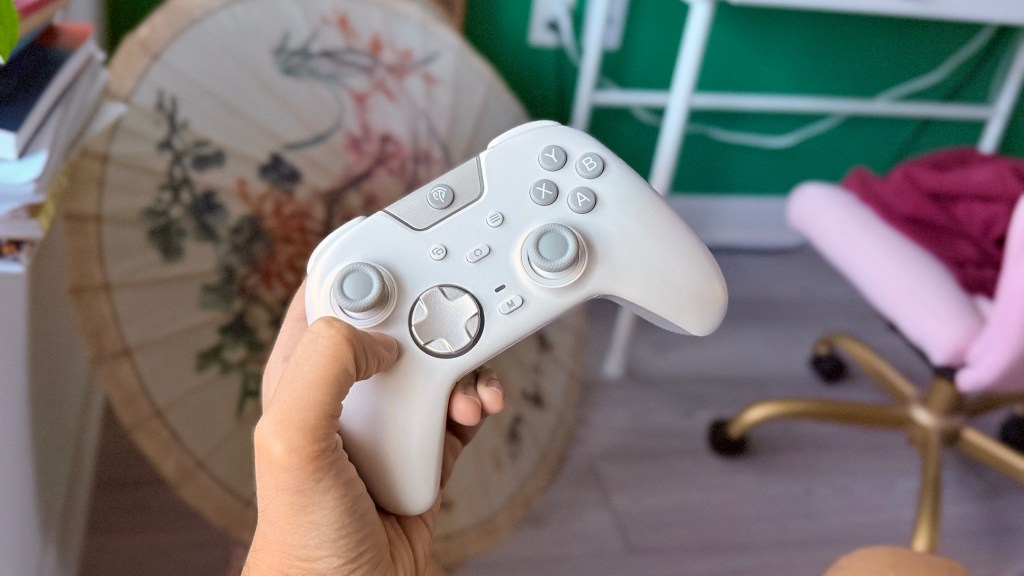
The X05 Pro does things pretty much perfectly in the ergonomics and build quality departments. It keeps that Xbox 360 controller shape, but feels far superior in the hands, with a nice textured chassis, a good, evenly distributed heft, and some perfectly offset sticks. It even has a partly rubberized back where your fingers rest, making for a sturdy grip. Most of the buttons are perfectly accessible and feel easy to reach without needing adjustments, save for the shoulder buttons, which feel just a tad out of reach for me naturally, but they are a very minor strain for me to get to—I have a similar experience with the Xbox controllers, so it’s not a big deal.
Hall-Effect All The Things!
The sticks and triggers on the X05 Pro are solid. They’re both Hall-Effect, so you can rest assured you won’t have (knock on wood) any issues with stick drift or trigger durability. The triggers are shaped similarly to the DualSense and even come equipped with switches to change between full and short presses, which is a nice touch and something I wouldn’t expect from a controller at this price point. The sticks feel fairly standard with some texture on their face, though I do wish that texture had a bit more grip, as I find them just a tad slippery—but nothing that I notice too much while playing.
As for performance, YouTuber Deegital Tech ran some great tests that showcase how well these sticks perform. In short, they’re good, have great latency while wired or connected via the dongle, but fall just a little short in the accuracy department, though nothing anybody outside of professional FPS players will notice.
Silent =/ Mushy
The biggest feature that EasySMX markets about the X05 Pro, and the feature that most piqued my interest, was its quiet buttons. As mentioned, I don’t like clicky buttons. It’s one of the biggest reasons I can’t stand the Xbox controllers’ shoulder buttons and D-Pad. I’ll touch more upon the D-Pad on the X05 Pro in a bit, but the D-Pad on the Series X/S controller, though genuinely great in terms of input accuracy and my ability to do quarter circles in fighting games, drives me (and my wife) up the wall while playing because of how obnoxiously loud and clicky it is. It’s why I’ve resorted to using the DualSense for fighters, even though that D-Pad is a mushy mess and has a whole lot of input issues—did I mention the controller is uncomfortable as f*ck, too?
The buttons on the X05 Pro are wonderfully quiet. But they’re wonderfully quiet while not being mushy or unsatisfying to press. There’s still a tactility to the face buttons, shoulder buttons, and the L4 and R4 buttons. Much of that tactility comes through the rigidity of their build quality. There’s no wiggle to them; all the buttons feel sturdy and anything but cheap. The only buttons that encroach upon mushy territory are the “start” and “select” buttons, but those aren’t buttons I’m pressing all that much while playing, so I’ll give them a pass.
The Bestest D-Pad(?)
Now, let’s finally move on to the biggest reason why I even bought this controller: The D-Pad. As mentioned, D-Pads on most modern controllers, first-party or otherwise, have been mostly an afterthought. This is doubly true for controllers with offset thumbsticks, and tripley true for those within the budget category. I was more than ready to live a life where I’d need to constantly switch between two controllers: one for modern 3D games, and one for 2D indies and fighting games. Never in my wildest dreams would I think that a controller, one that costs $30, could tick all of my boxes in terms of offset sticks, quiet buttons, and build quality, all the while giving me an amazing D-Pad. Well, EasySMX said, “Challenge accepted.”
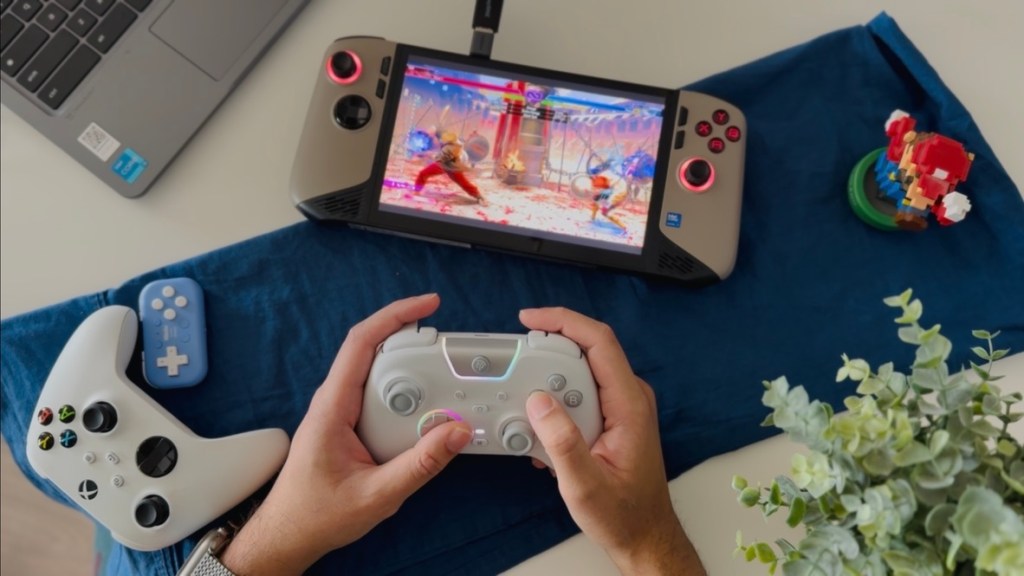
As someone who grew up with D-Pads like the ones on the SNES, GBA SP, and PSP, my bar for D-Pads is quite high. When reading and watching all of the glowing reviews of the X05 Pro, with folks singing praises of its D-Pad, I was skeptical but curious. Honestly, all I was hoping for was something akin to the Xbox’s D-Pad, but one that wasn’t as clicky. And that is, ostensibly, what we have here on the X05 Pro, but it’s so much more than that.
The feedback on the D-Pad isn’t like the rest of the buttons on this controller. Instead of a heavier “thock” that the rest of the buttons give, there’s a much more gentle soft click, almost like a quiet mouse, which makes the press of every direction oh-so satisfying while still being very quiet. I’ve never pulled off quarter circles in Street Fighter 6 as easily as I have on this controller (I still suck at the game, but what else is new?) This is the first time I’ve used a controller with offset sticks where I felt that the D-Pad wasn’t just an afterthought; actually, it seems it was a focus for EasySMX, and boy did they knock it out of the park.
The Extras
In terms of everything else, EasySMX provide a pretty decent array of features. The rumble is solid, the connection options are great, the RGB is fun and customizable, and you can even customize deadzones and other features with the “M” button. No software connects to the controller, which, being a somewhat old head, I’m honestly not too pressed about. As for the battery life, it seems pretty decent so far. I’ve played for a little under a week via the dongle and have only needed to charge the controller once.
The Verdict – 9.5/10
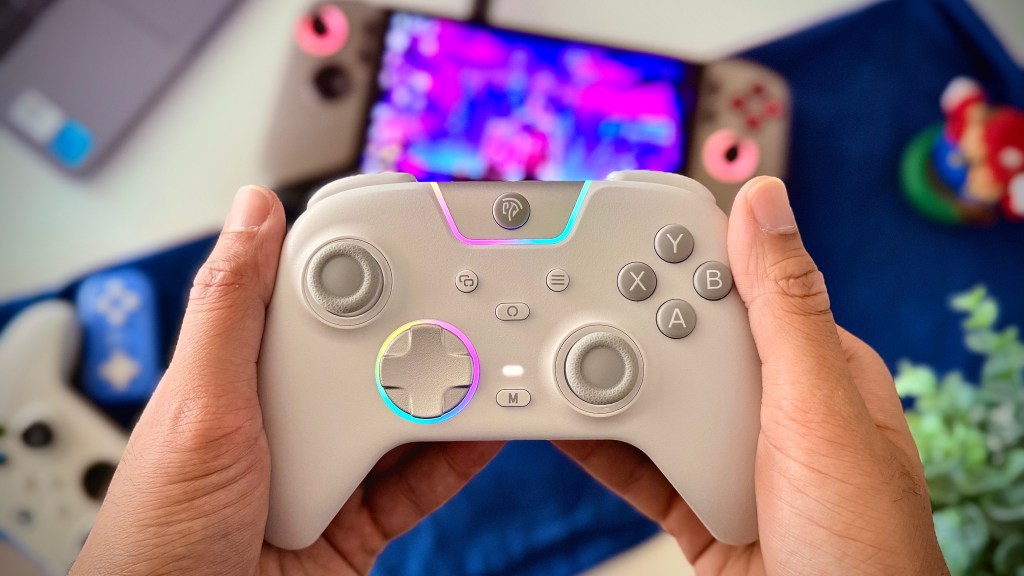
The EasySMX X05 Pro is the video game controller, perfected. Sure, you might be able to find more robust features on other controllers, but more likely than not, those would cost you thrice the price of this one. From incredible ergonomics, Hall-Effect sticks and triggers, quiet yet tactile buttons, and one of (if not the) greatest D-Pad I’ve had the pleasure of using, the X05 Pro offers more for $30 than Sony, Nintendo, and Microsoft do for twice that price. Some tiny irks about the texture on the sticks and the positioning of the shoulder buttons are but inconsequential pedantries for an otherwise immaculate controller.
 Pixel Swish
Leave a comment