

Back in the day, there was this meme I used to see about operating systems. It consisted of three images, POV shots from the driver’s seats inside three different vehicles. At the top was a clean, futuristic, minimalist interior (with a flight stick in lieu of a steering wheel, for some reason), followed by a more common, Honda Civic-esque affair, and the last being something out of Kubrick’s fever dream. The first was labelled as a “Mac,” the second “Windows,” and the last “Linux.” The point being that a Mac was this pristine, modern, simplified experience, Windows was common but functional, and Linux was way too complicated but offered the most control.
There were variations to this meme, with one having a child’s steering wheel for the “Mac” image—cute. But the sentiment was effectively the same. And for the longest time, this sentiment went largely unchanged amongst the general population. This idea that MacOS was cool and sleek, Windows was for work (and what your dad used), and Linux was for weirdo nerds who want to break out of the matrix. And it’s why, for the longest time, I stuck with either MacOS or Windows (and, for a time, iPadOS, but that’s a low-point in my life we don’t talk about).

Thing is, I never loved either operating system. Windows was always slow, boated, and clunky, while MacOS always felt limited in some way or another. Yet, I ping-ponged between the two throughout the decades because I didn’t think there was another option. And now, with Windows ostensibly being a piece of spyware and MacOS becoming increasingly more locked down and still unable to play most video games, I was growing restless. I needed a way out. But that way couldn’t be Linux, because, well, you saw the meme—that’s Linux! I can’t do that. Or…can I?
Introducing, The “GabeCube”
So, I got a Steam Machine. Why? Well, a lot of reasons. Namely, low impulse control. In all seriousness, the Steam Machine has been my gateway into the world of Monsieur Penguin. It has, at least thus far, perfectly served my particular use case, checking all of my very specific boxes. That’s an important note, because I don’t think I’d recommend this product to most people, considering the price-point Valve had to unfortunately settle on due to the “RAM-pocalype” A.I. companies have so graciously brought upon us.
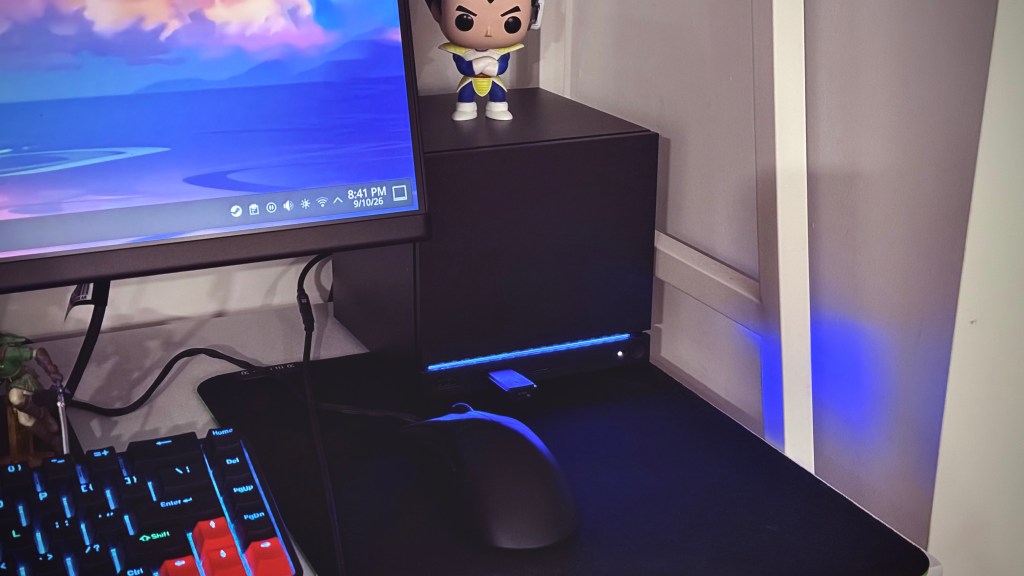
However, if you’re someone like me who’s looking for a way to jump into Linux through an easy-to-set-up, plug-and-play desktop experience without having to build your own PC, have a fairly large Steam Library, need a very small form factor because of limited desk space but still want enough power to play triple-A games at 1080p and high settings, and somehow manage to find a guy on Facebook selling a sealed Steam Machine for MSRP minus the $200 in Canadian tax—yeah, this thing is perfect.
But this article isn’t about the Steam Machine. That’s going to come in a couple of weeks once I’ve had more time with the “GabeCube” and can sit down to put my thoughts together for a proper review. Today, I’m going to be telling you how my first week has been moving over to Linux as a lifelong Windows/Mac user.
Booting In
After the initial setup, the Steam Machine, much like the Steam Deck, will boot you into SteamOS’s “Game Mode.” If you have a Steam Deck, or have ever used Steam’s “Big Picture Mode” on Windows, you’ll be very familiar with this experience. Everything is easily navigable with a controller (though a mouse works just as well), all of the tiles, buttons, and menus are big and easy to access, and it all works quickly and as you’d expect. This is truly a great console-like experience, and one I can easily see the layperson having no problems navigating and using from the comfort of their couch. This is exactly how Valve have marketed the Steam Machine to be used. I, however, am not going to be using it in such a manner. So, after quickly spending some time in “Game Mode,” I switched over to the “Desktop Mode,” which is done so by a couple of quick clicks.
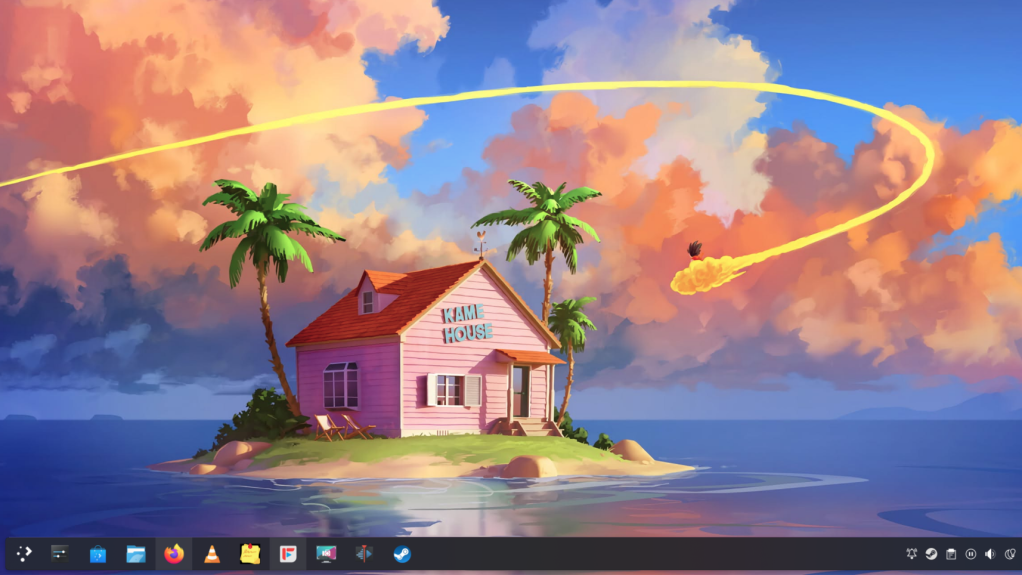
The desktop launched very quickly—within five seconds. As soon as it did, I was introduced to a UI that looked…shockingly familiar. If you didn’t know, Valve built SteamOS on top of Arch, one of the many (many) Linux distributions. Don’t ask me what the difference between all of these distros are; I can’t tell you. What I can tell you, however, is that the UI I was greeted with looked very much like Windows. I had a taskbar at the bottom, which had a files folder called “Dolphin,” as well as apps like “Settings” and “Firefox;” there was a “Start” menu with a search bar where I could access all of my other applications and settings, and there was an app called “Discover” where I could find and install other applications. Surprisingly straightforward.
Getting Work Done
When it comes to productivity, my needs are fairly simple. I need a good, fast browser where I can access my emails, cloud drives, documents, and text editors. Firefox worked without any issue, including installing and enabling all of my different extensions. I was able to write this entire script without any fuss, and download and edit PDFs for work with ease. I know it’s such a minor thing, but being able to download PDF documents, sign them, save my signatures, and freely input and edit text right out of the box without having to download some other software or tinker with anything was such a win for Linux. You have no idea how much this simple task has made me rage on other platforms throughout the years.
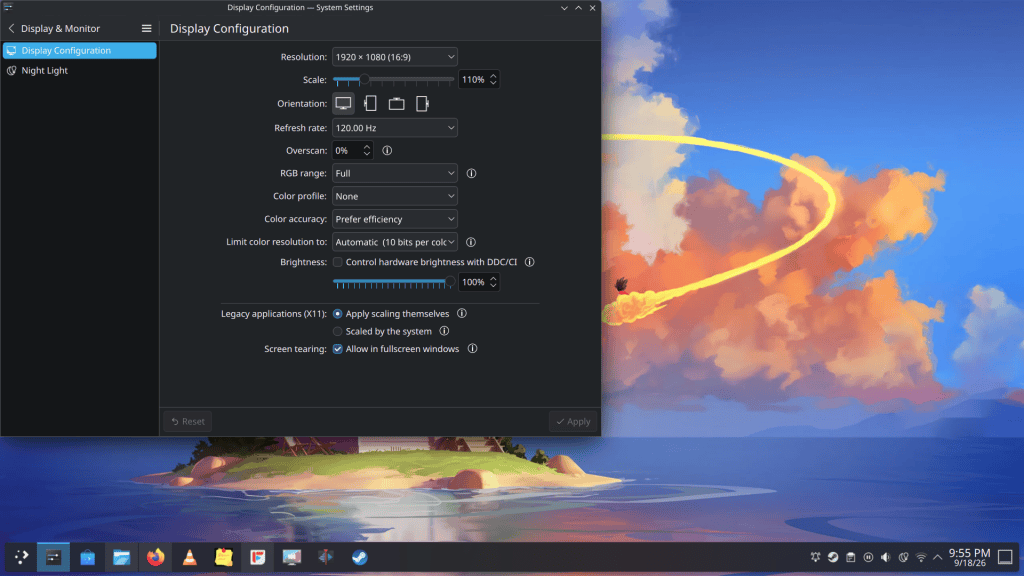
Throughout my week, what really stuck out to me was just how fast and seamless everything worked on Linux. The Steam Machine is a fairly powerful device, but it’s far from a super high-end computer. Heck, even my MSI Claw 8AI+ has more RAM. And yet, the day-to-day experience of working on that Windows machine compared to this Linux one is night and day. No longer do I have incessant pop-ups about updates; no longer do apps refuse to launch or randomly decide to bug out; no longer am I constantly battling with Game Bar to work the way I wish it would; no longer am I interrupted by Copilot or One Drive every fifteen minutes, and no longer do I feel at a complete loss when trying to find the right settings to adjust the most basic of things. Don’t get me wrong, I’ve already ran into a couple of quirks with Linux, but most of those quirks (at least from what I can tell) can be fixed or adjusted so as long as I learn the technical workarounds and get over my fear of opening up the Konsole terminal.
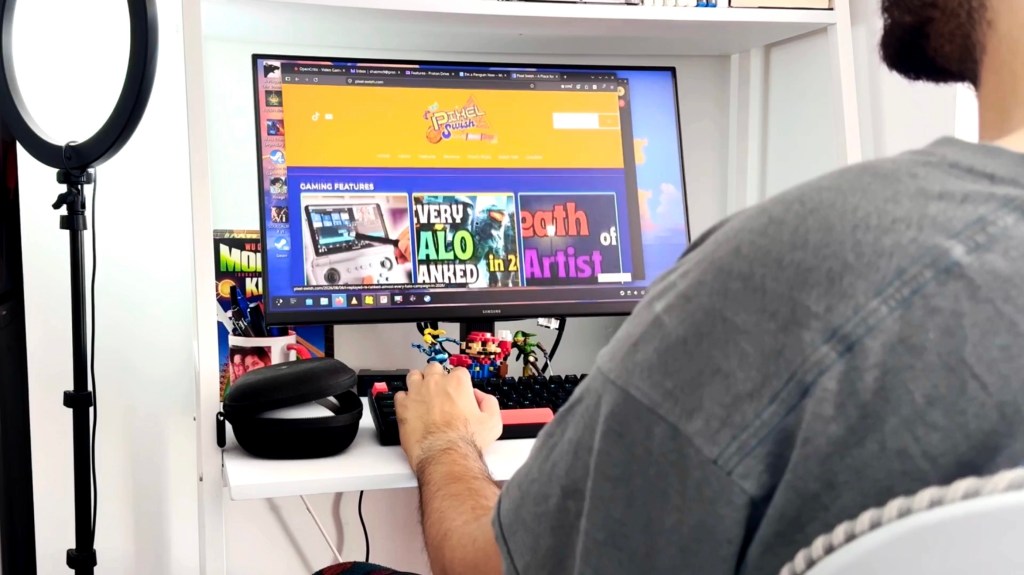
Beyond web-based productivity, which worked flawlessly, there was only one other thing I needed to see if I could do on my Steam Machine: video editing. Now, I’ve managed to edit videos on ridiculous devices in the past. Hardware hasn’t really been an issue in recent years; most modern devices — be they computers, tablets, phones, or even gaming handhelds — are powerful enough to do some basic video editing. As long as they run on Windows, MacOS, iOS, or Android, they’ll have apps that I’m accustomed to and can get my work done. However, none of the apps I’ve used on those platforms over the past decade (Final Cut, LumaFusion, Resolve) are, as far as I know, on Linux. What is on Linux, is a piece of software called Kdenlive. I’ve never heard of Kdenlive, and I’m definitely not looking forward to learn yet another editing software, but hey, I’m a penguin now, so if this is what it takes, so be it.
I’ll insert a quick edit here to let you know how editing on Kdenlive is going. Future Shaz, take it away. (Skip to 7:45)
Gaming
Let’s talk about the elephant in the room. The Steam Machine costs 1050 USD and a whopping 1500 CAD. And that’s for the base model without the controller. For that price, the power you’re getting is roughly on par with a base PS5—a console that costs quite a few hundred dollars less while offering double the internal storage. Furthermore, much like the base PS5, playing triple-A games at 4K resolution on your TV is simply not going to be a reality. At least, not at high settings or without heavy use of FSR upscaling and Frame Generation. Even then, you’ll likely be relegated to 30fps.
Which is why, for me, using the “GabeCube” as a desktop replacement — having it connected to my very basic 24-inch, 1080p, 120Hz Samsung monitor — has been quite a fantastic experience. Every game I’ve thrown at the Steam Machine has played perfectly, without me having to even look at the settings upon startup. Every game, whether that’s Elden Ring or Pragmata, has simply worked, giving me 60+ fps at high settings with either minimal or no upscaling. And if and when I decide to upgrade my monitor to a 1440p one, I know, based on what I’ve seen, that this little guy will be able to push most triple-A games to that resolution without much issue. Maybe I’ll need to go from high settings to medium, but that’s it.
Now, I know this might sound like copium. “Wow, you spent $1500 to play games at 1080p?” No, I didn’t. I spent that much money on a Linux desktop replacement. One that, when considering current PC prices — in Canada, especially — isn’t significantly less powerful than if I were to build a PC from scratch, especially if I wanted one even remotely in the same form factor (seriously, if I wanted to do a somewhat equivalent RX 7600 build with 16 gigs of RAM, with a mini-ITX case and compatible components, I’m looking at 1300+ CAD, pretax, easy). Gaming on the Steam Machine, for me, is secondary. Which, I understand, isn’t going to be the case for most—hence my saying that I wouldn’t recommend this product to most. But when I want to game I can, and the experience is great for the setup that I have. And as a desktop experience, I must say, it’s been pretty flawless thus far.

I should also mention that booting in and out of games is very seamless, too. I was afraid that I’d have to boot back into “Game Mode” each time I wanted to play a game, but that isn’t the case here. Launching from the desktop works as you’d expect. Some have said that you lose a bit of performance this way, but I’ve honestly not noticed a difference.
The Quirks
Now, as mentioned, not all has been smooth with Arch Linux on SteamOS. My keyboard is made by a company called TMKB, and my mouse is the Razer DeathAdder V3. Both of these peripherals have software on Windows that allow you to configure some of their functionality. Razer Synapse, for instance, allows me to change my mouse’s polling rate from 250Hz all the way up to 8000Hz. On Linux, however, Synapse isn’t available natively. I was hoping a third party app would exist in the Discover store, but one does not. Which means my mouse is stuck at 250Hz. Not that it matters for me much; it’s not like I was planning to go pro in CS2, but, hey, the option to do so would have been nice.
Now, a community-made app called OpenRazer is available, but installing it requires some know-how of writing basic lines of script on Konsole. Something that I’m still far too much of a noob to comprehend. Actually, the lines of script I would have had to write to get OpenRazer working were fairly simple, but, because Valve locks down some of the functionality of Arch through SteamOS, making it what’s called an “immutable distribution,” the script that needs to be written is a bit more elaborate. Not to mention, if you do manage to get it up and running and can adjust your peripheral settings, any update to SteamOS will overwrite those settings, requiring you to do the whole process all over again.
All of this makes for an experience that’s not as customizable as you’d hope from a Linux OS. With that said, this has been a tremendously smooth transition, and for my use cases, the Steam Machine has been a fantastic overall desktop experience. One that’s a solid performer on all fronts, including gaming. I’m happy to be a part of Team Penguin, and I hope more people cross over to make Microsoft really start to sweat.


Leave a comment